> ## Documentation Index
> Fetch the complete documentation index at: https://docs.m3ter.com/llms.txt
> Use this file to discover all available pages before exploring further.
# Viewing Bill History
Under Billing, you can review the *Bill history* for a selected Account. You can inspect the standing charges and pricing charges under the pricing Plans attached to the Account. You can also open a pricing Plan used for a Bill and review the pricing structure of the Plan more closely.
This topic explains how to work in the Billing section to open and view an Account's Bill history.
**To view Bill history for an Account:**
1. Select **Billing**. The **Bill management** page opens.
2. Select **Bill history**:
 The **Bill history** page opens.
3. Use the drop-down to select the **Account** for which you want to view Bill history. The Bills generated for the Account are listed with the most recent shown first:
The **Bill history** page opens.
3. Use the drop-down to select the **Account** for which you want to view Bill history. The Bills generated for the Account are listed with the most recent shown first:
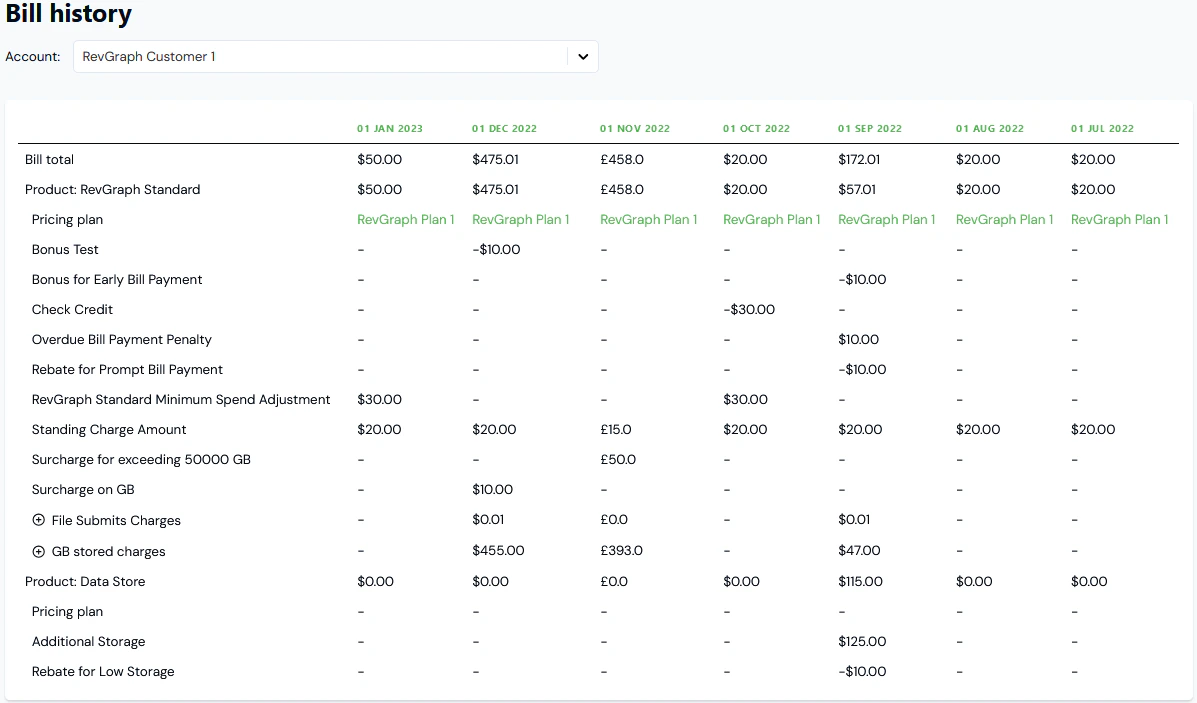 The charges amounts used to calculate the Bill totals are listed by Product.
4. If you want to review the usage quantity under a listed charge, select to expand the charge and reveal the **Quantity**:
The charges amounts used to calculate the Bill totals are listed by Product.
4. If you want to review the usage quantity under a listed charge, select to expand the charge and reveal the **Quantity**:
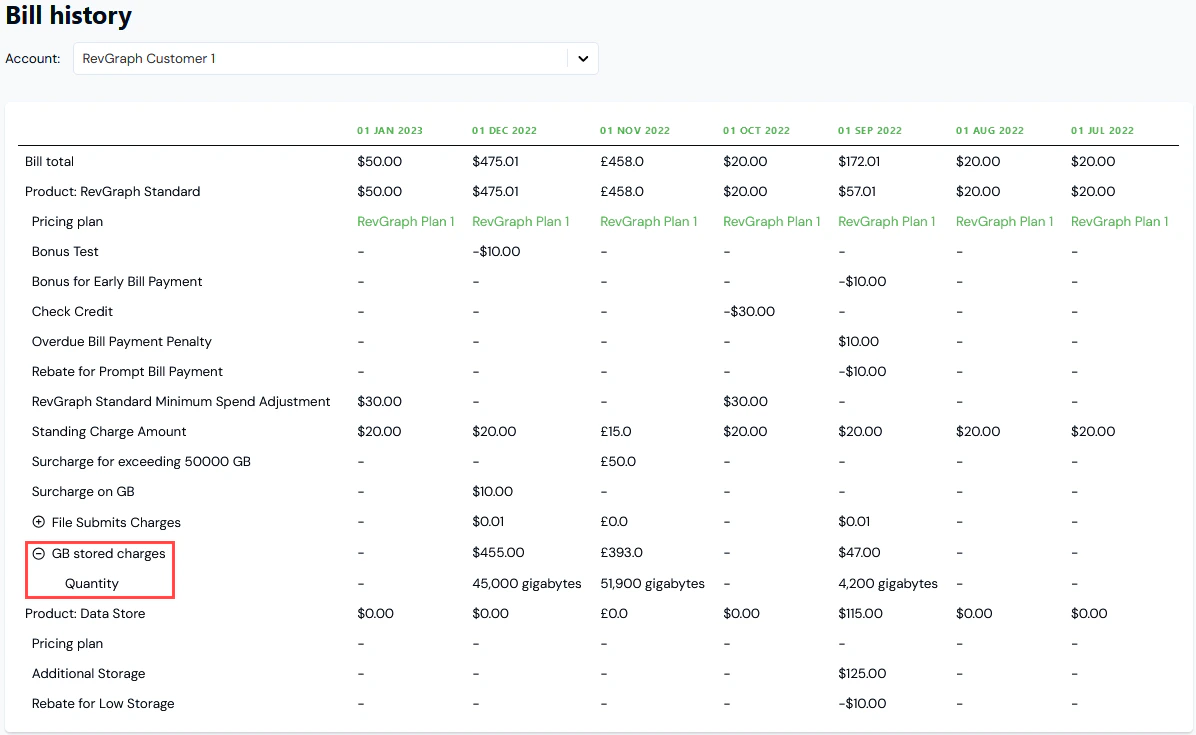 5. If you want to review a **Pricing plan** used for a Bill, select the name text of the Plan. You are taken to the **Plan details** page, where you can review any **Pricing** configured for the Plan.