> ## Documentation Index
> Fetch the complete documentation index at: https://docs.m3ter.com/llms.txt
> Use this file to discover all available pages before exploring further.
# Azure Marketplace Integrations - Reconciliation Features
m3ter offers some useful reconciliation features designed to support your Azure Marketplace integrations:
* [Reviewing Usage Reports for Bill integrations](/guides/integrations/setting-up-integrations/azure-marketplace-integrations-reconciliation-features#reviewing-usage-reports-for-bill-integrations)
* [Reviewing Azure Marketplace Bill Integration Runs](/guides/integrations/setting-up-integrations/azure-marketplace-integrations-reconciliation-features#reviewing-azure-marketplace-bill-integration-runs)
## Reviewing Usage Reports for Bill Integrations
When Bill-based integration runs are performed, all interactions between m3ter and Azure Marketplace are persisted as logs. These logs are retrievable via a specific API endpoint, and you can use them to track, for each Bill, all amounts sent over to Azure Marketplace, together with the date and time the Bill data was sent. This provides a report on usage data sent to Azure Marketplace for each Bill integration run, and is particularly useful for Bill recalculation scenarios where several updates might have taken place during the billing period.
* **API Endpoint**: [Retrieve Reported Usage](/api/marketplace-integrations/retrieve-reported-usage)
* **Example Response**:
```json theme={null}
{
"data": [
{
"accountId": "a2ae2c31-e89e-4c12-b636-e59414901cff",
"billId": "f2d3e527-66bb-4251-8d81-90bffe45e5b5",
"externalSystem": "Azure",
"reportedUsage": {
"storage": {
"2025-08-20T00:00:00Z": 400.0
}
}
}
]
}
```
* Note that the format of the response can vary and depends on the selected configuration option for **Split usage line items** - **Item per bill**, **Item per product**, or **Item per aggregation**.
## Reviewing Azure Marketplace Bill Integration Runs
If you've set up an integration with an external system, m3ter allows you to review details of the integration runs that have been performed for the integration. For any Bills that have been included in an Azure Marketplace integration run, you can access and review details of the run directly from the **Bill details** in **Bill management**. For example:
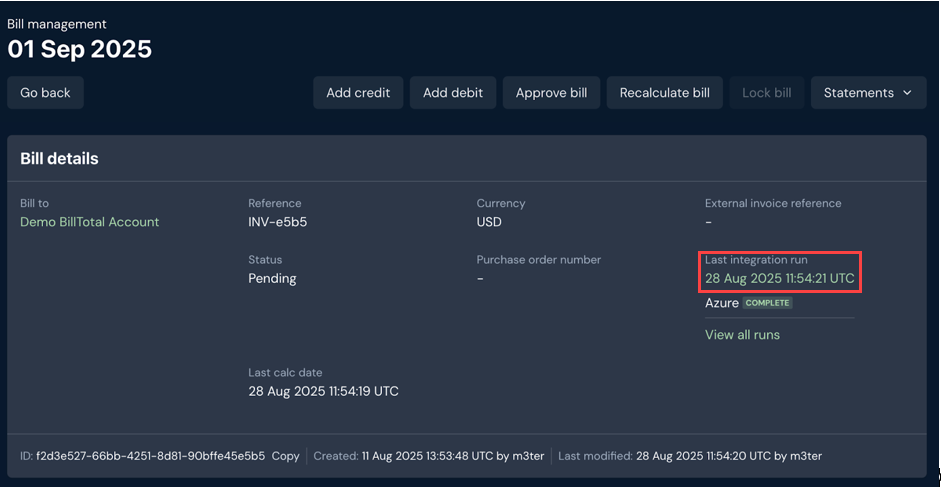 * Select the date/timestamp hotlink text for the **Last integration run** to open the **Integration run details** page for the Bill. You can then review a **Run log** for the run and drill into details:
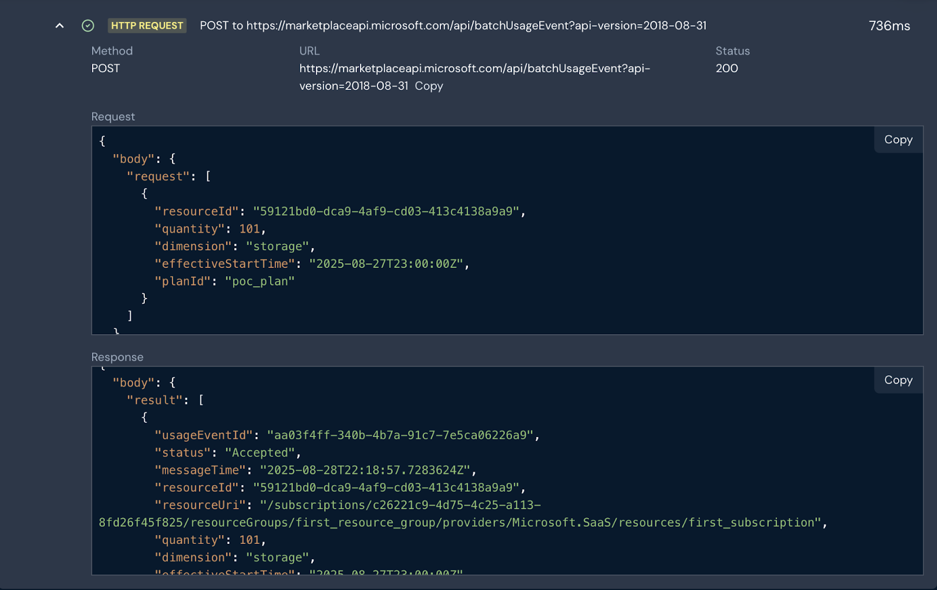 * In addition to generic information on date and time of execution, and the configuration in place at that time, the Integration Run also includes full details of the payloads exchanged with Azure Marketplace.
**Tip: More on Reviewing Integration Runs?** See [Reviewing Integration Run Details](/guides/integrations/setting-up-integrations/reviewing-integration-run-details).
* In addition to generic information on date and time of execution, and the configuration in place at that time, the Integration Run also includes full details of the payloads exchanged with Azure Marketplace.
**Tip: More on Reviewing Integration Runs?** See [Reviewing Integration Run Details](/guides/integrations/setting-up-integrations/reviewing-integration-run-details).