

- Select Settings>Access settings. The Users page opens.
- Select the Permission policies tab. Any existing Managed or Custom Permission Policies are listed:
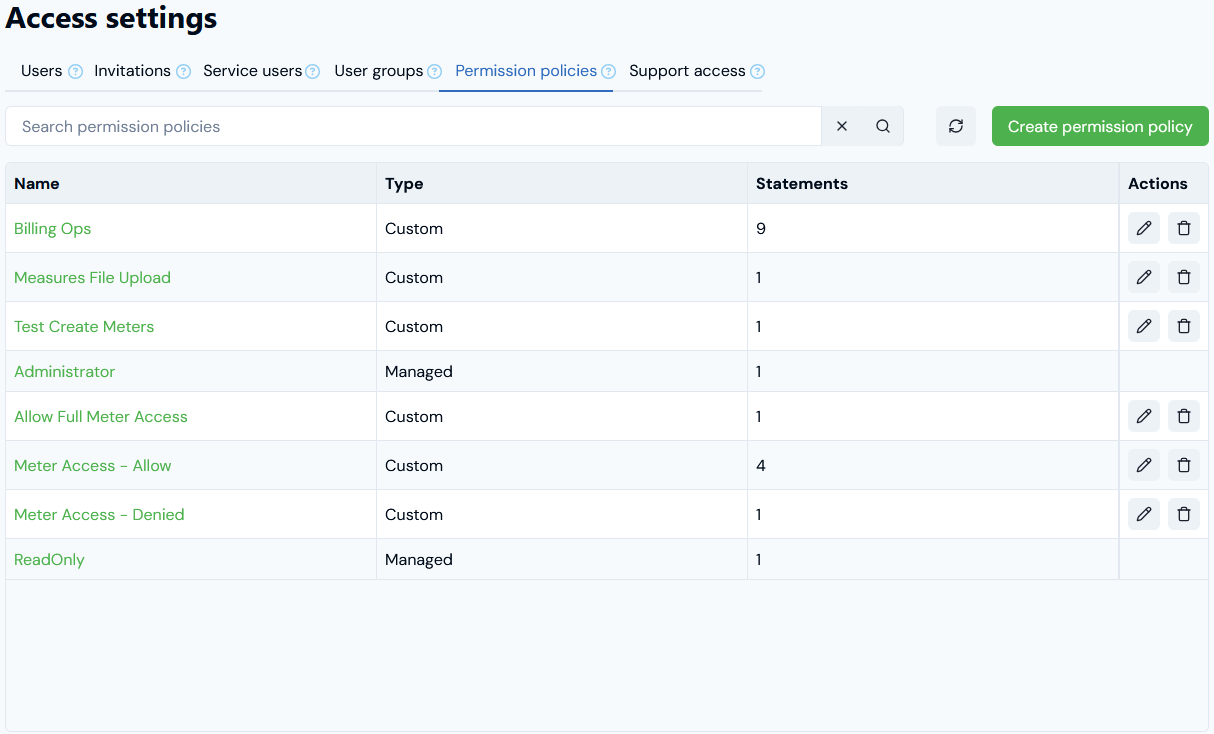
- The Type of Permission Policy - either Managed or Custom.
- The number of Statements configured for a Permission Policy, which control what a User assigned the Policy can and cannot do in your Organization.
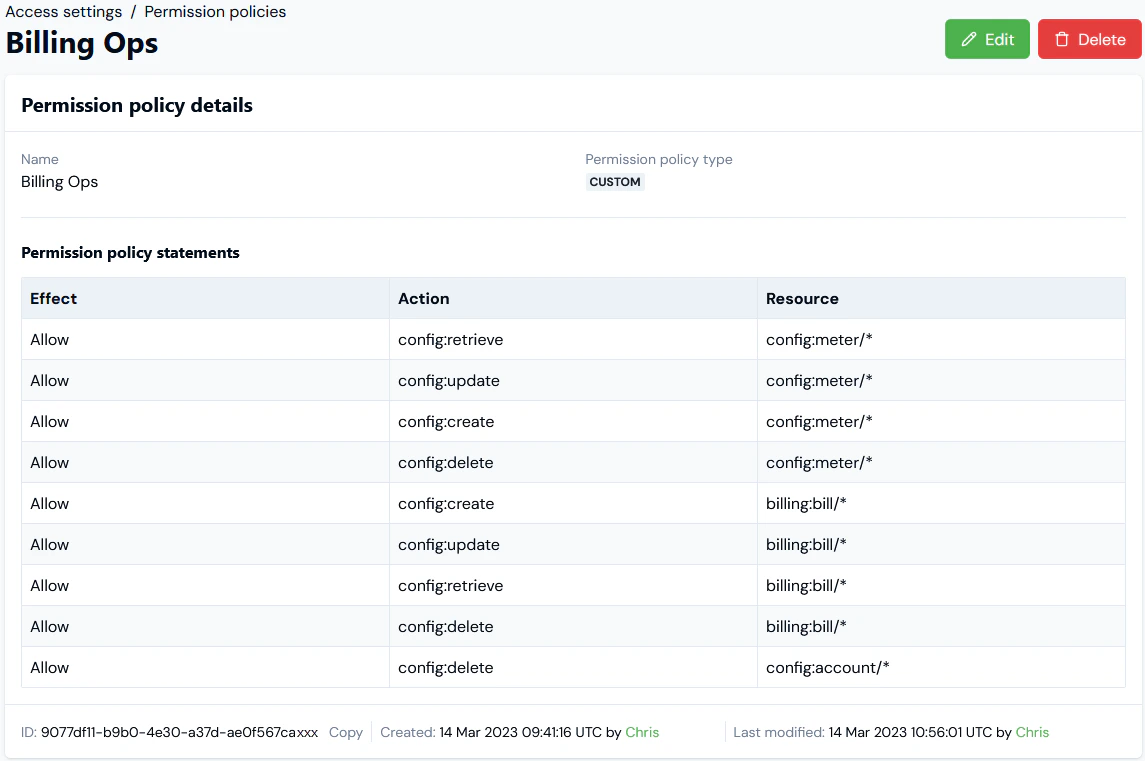
- If you want to view the details of a Permission Policy, select the Name text hotlink. The Permission policy details page opens:
- If you want to edit a Permission Policy, return to the Permission policies tab and select the Edit icon:

- Make your editing changes and select Update permission policy.
- If you want to delete a Permission Policy, on the Permission policies tab select the Delete icon:

- Select Yes to continue and delete the Permission Policy.