When you have created some Export Destinations using S3 buckets in your AWS account or using buckets in your Google Cloud Storage account, you can set up Export Schedules to perform usage data exports into those destinations from your m3ter Organization. You can specify an hourly or daily frequency for these exports to run.This topic explains how to work with and create Export Schedules for exporting usage data from your Organization at regular intervals:
Usage data (legacy format) Export Schedules? If you were an early customer of Data Exports you might also still have access to the legacy usage format for data Export Schedules. However, the legacy usage format is NOT available for new customers - please see Creating Usage Data Export Schedules.
Export jobs for Export schedules. When you have created a data Export schedule, an export job is created for each time the data export is due to run under the schedule. You can review and check the status of data export jobs on the Export jobs page - see Reviewing Export Jobs.
This section explains how the Data Export service will compile and run usage data exports according to the various options available to you when setting up your usage data Export Schedules:
Important! Please review this section before setting up any usage data Export schedules to understand the various options you can use to ensure the exports contain the correct usage data to serve your specific needs.
When you’ve completed the configuration for an Export Schedule and select to create it:
An Export job is scheduled to run the data export immediately with the Data Export service.
Export jobs for the next and subsequent in the series of exports are then scheduled to run with the Data Export Service according to the hourly or daily frequency you’ve configured for the Schedule.
For example, if you select to create an Export schedule at 10:00 a.m. on June 1st, 2024 UTC and the Export schedule is configured for a frequency of every 5 days, an Export job is scheduled to run with the Data Export Service immediately. An Export job for the next data export will then be scheduled to run at 10:00 a.m. on June 6th 2024 UTC, and so on.
Exported files are retained in m3ter for 24 hours after the job completes, after which they are removed.
The range of usage data and the way it is compiled will depend on several options which allow you to control closely what the export file will contain.
You can define a Time period when creating a usage data Export schedule to control the range of data you want the data export to contain each time it runs according to the schedule. Options:
Today. Data collected for the current day up until the time the export is scheduled to run. For example, if the Export schedule is configured to run with a frequency of every 3 hours and is created initially at 10:00 a.m. UTC, the first export scheduled to run will contain the usage data collected up until 10 a.m. UTC of the current day, the second export will be scheduled to run at 1 p.m. UTC that day and will contain all the usage data collected up until 1 p.m. for that day, and so on. (Default setting)
Yesterday. Data collected for the day before the export runs under the schedule - that is, the 24 hour period from midnight to midnight of the day before.
Week, Month, Year to date. Data collected for the period covering the current week, month, or year period. For example, for Week to date setting weeks run Monday to Monday - if the Export is scheduled to run at 10 a.m. UTC on October 16th 2024, which is a Wednesday, it will contain all usage data collected starting Monday October 14th 2024 through to the Wednesday at 10 a.m. UTC of the current week.
Previous week, month, quarter, year. Data collected for the previous full week, month, quarter, or year period. For example, weeks run Monday to Monday - if the export is scheduled to run on June 12th 2024, which is a Wednesday, the export will contain data for the period running from Monday, June 3rd to midnight on Sunday, June 9th 2024.
Last 12 hours. Data collected for the twelve hour period up to the start of the hour in which the export is scheduled to run.
Last 7 days, 30 days, 35 days, 90 days, 120 days, year. Data collected for the selected period prior to the date the export is scheduled to run. For example, if Last 30 days and the export is scheduled to run for any time on June 15th 2024, it will contain usage data collected for the previous 30 days - starting May 16th 2024 through to midnight on June 14th 2024.
You can select Meters and Accounts in your Organization for the export. The usage data export file will then contain only the usage data collected for those Meters and Accounts:
If you do not select to aggregate the usage data, then the export will contain the raw usage data measurements ingested by the selected Meters and selected Accounts. The usage data measurement values included in the export for non-aggregated usage data exports are:
For all Data Fields types - both String and Numeric - and any Derived Fields on the selected Meters.
The values will be the post-enrichment ingest process values. See Usage Data Ingest Process for more details.
Default option is for all Meters and all Accounts.
You can select to aggregate the usage data measurement values collected for the selected Meters and Accounts:
Aggregation Frequency. Select a time period for aggregation - Hourly, Daily, Weekly, or Monthly:
The default setting is Original, which means the usage data is not aggregated for export. See the previous section for what is included when the usage data export is for non-aggregated usage.
Aggregation. Select a function for aggregating raw usage data measurement values over the selected aggregation frequency time period:
Sum. Adds the values.
Minimum. Uses the minimum value.
Maximum. Uses the maximum value.
Count. Counts the number of values.
Latest. Uses the most recent value, based on the timestamp - ts - values of ingested usage data measurements.
Mean. Uses the arithmetic mean of the values.
If you select to aggregate usage data measurements for data export, the usage data values contained in the data export will only include:
The usages data measurements collected for any numeric Data Fields on selected Meters for Accounts - Data Fields of type MEASURE, INCOME, or COST - and aggregated in accordance with the aggregation frequency and function you’ve selected.
For example:
Suppose you select a single Meter for the data export that has two Data Fields:
A Data Field of type MEASURE, a Numeric field which is used to collect usage data for file submissions by size of file in megabytes.
A Data Field of type WHAT, a String field which is used to collect usage data on the file format.
You then implement aggregation for a daily sum of usage data values for the export.
The aggregated usage data export will only contain the values for the daily sums of file submission size from the MEASURE Data Field.
We perform gzip compression for usage data files for export. The file size limit for usage data exports is constrained by the limit imposed by your S3 bucket destination, which we understand to be 5TB maximum size after gzip compression.
You can quickly set up Export schedules for data exports containing usage data collected for your Organization. Usage data exports contain the usage data measurements ingested into m3ter for the selected Meters and Accounts covering the specified time period.To create a Legacy Usage Data Export Schedule:
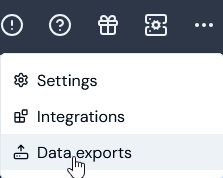
Select Data exports:
The Data exports page opens and lists any existing Export schedules.
Select Create export schedule. The Create page opens.
Enter the Export schedule details:
Name. Descriptive name for the schedule.
Code. Unique identifier for the schedule.
Note that when you’ve entered a Name and clicked in the Code field, a Code is automatically entered based on the Name. You can then edit the auto-generated Code as required.
Destinations. Use the drop-down to select the Export destinations to be used each time the data export runs for the schedule. Notes:
Select at least one destination.
If No options shows in the drop-down, you must first create at least one destination before you can set up an Export Schedule - see Creating and Managing Export Destinations.
Alternatively, if you simply want to download the data export file locally, do not select a Destination. See Downloading Data Export Files Locally for more details.
Export file format. Select the format you require for the usage data export files:
CSV. (Default).
JSONL.
Frequency. Define the frequency for the schedule in Hours or Days. Highest frequency is for exports to run every hour.
Note that the data export will be scheduled to run immediately when you create it and then at the defined frequency. See above Working with Usage Data Export Schedules for details.
Source type. Select Usage data (legacy format). The Export schedule details panel adjusts.
Time period. Define a time period you want the data export to cover each time it runs according to the schedule. This setting controls what usage data collected for the specified Meters/Accounts the export will contain. See above: Time Period for details on each of the eight options. Today is the Default.
Aggregation frequency and Aggregation. If you want to aggregate ingested values for your usage data export, then use these options in combination:
Aggregation frequency. Select the frequency for aggregation - five options:
Original. No aggregation performed. (Default)
Hourly.
Daily.
Weekly.
Monthly.
Aggregation. Select the type of Aggregation you want to apply to the data values for the selected frequency - six options:
Sum. Adds the values.
Minimum. Uses the minimum value.
Maximum. Uses the maximum value.
Count. Counts the number of values.
Latest. Uses the most recent value, based on the timestamp - ts - values of ingested usage data measurements.
Mean. Uses the arithmetic mean of the values.
Aggregation for Usage Data exports - notes:
Aggregation type is required! If you select an Aggregation frequency other than the default of Original (which means the data will not be aggregated), then you must select an Aggregation type. If you don’t select a type, then you won’t be able to create the Export schedule and an error will show.
Aggregation vs. non-aggregated usage data for export? If you choose to aggregate usage data for an export schedule, this will affect what data is included in the export. For details, please see the Working with Usage Data Export Schedules section above.
Meters. Add Meters for the data export:
Select the plus icon. A popup will show listing all Meters in your Organization and you can search the list.
Check the Meters whose usage data you want to include in the export and select Add.
The export will contain the usage data collected by the Meters you add for the specified Time period. (Default isAll meters)
Accounts. Add Accounts for the data export:
Select the plus icon. A popup will show listing all Accounts in your Organization and you can search the list.
Check the Accounts whose usage data you want to include in the export and select Add.
The export will contain the usage data collected by the Meters you’ve added and for the Accounts you add for the specified Time period. (Default isAll Accounts)
When you have entered all details, select Create export schedule:
The Schedule is saved and the Export schedule details page opens:
In this example, we’ve selected two Meters and two Accounts for which non-aggregated usage data will be included in the data exports ran every day for the Export Schedule.
Return to the Data exports page where the new schedule is listed on the Export schedules panel:
{"docsConfig":{"theme":"aspen","$schema":"https://mintlify.com/docs.json","name":"m3ter Documentation","description":"Guides, learning resources and API reference for integrating with m3ter","colors":{"primary":"#4caf4c","dark":"#449d44"},"logo":{"light":"https://mintcdn.com/m3ter/t6C65JBQiQOFtjBy/images/m3ter-logo-blue-sf.svg?fit=max\u0026auto=format\u0026n=t6C65JBQiQOFtjBy\u0026q=85\u0026s=3928db28c84ec6950e43caf96e635d80","dark":"https://mintcdn.com/m3ter/t6C65JBQiQOFtjBy/images/m3ter-logo-white-sf.svg?fit=max\u0026auto=format\u0026n=t6C65JBQiQOFtjBy\u0026q=85\u0026s=a018cb782e49a2fbdd811276476d0605"},"favicon":"https://mintcdn.com/m3ter/T0RRts393DSUkWFc/favicon.svg?fit=max\u0026auto=format\u0026n=T0RRts393DSUkWFc\u0026q=85\u0026s=9492b54cc98df6775983b287b6f865cd","navbar":{"links":[{"href":"https://m3ter.freshdesk.com","label":"Support"},{"href":"https://console.m3ter.com","label":"Console"}],"primary":{"type":"button","label":"Schedule a demo","href":"https://www.m3ter.com/contact"}},"footer":{"socials":{"linkedin":"https://uk.linkedin.com/company/m3ter","x":"https://x.com/m3terHQ","github":"https://github.com/m3ter-com"},"links":[{"items":[{"label":"Website","href":"https://www.m3ter.com"},{"label":"Legal","href":"https://www.m3ter.com/legal"},{"label":"Security","href":"https://www.m3ter.com/security"},{"label":"Trust Center","href":"https://trust.m3ter.com"}]}]},"fonts":{"family":"Montserrat"},"icons":{"library":"lucide"},"styling":{"eyebrows":"breadcrumbs","latex":false},"integrations":{"ga4":{"measurementId":"G-V9C7TTPRQT"}},"contextual":{"options":["copy","view"],"display":"header"},"thumbnails":{"fonts":{"family":"Montserrat"}},"navigation":{"pages":[]}},"deployment":{"deploymentMetadataValue":{"subdomain":"m3ter","hasAudioNarration":false,"actualSubdomain":"m3ter","customDomains":["docs.m3ter.com"],"gitSource":{"type":"github","owner":"m3ter-com","repo":"m3ter-docs","deployBranch":"main","contentDirectory":"","isPrivate":true,"mountPath":"","label":""},"chroma":{"liveDeploymentHistoryId":"6ae4b3832e4c4b8ea8e5ac1c","collectionId":"f4691807-992d-43f9-aab2-d179e798824c","schemaVersion":"v3","latestBuiltDeploymentHistoryId":"6ae4b3832e4c4b8ea8e5ac1c"},"entitlements":{"AI_CHAT":{"status":"ENABLED"},"WEB_MCP":{"status":"ENABLED"},"NARRATION":{"status":"ENABLED"}},"buildId":"6ae9a09c36175fbf7124961d","clientVersion":"0.0.4045","searchFilterCounts":[{"language":"default","tag":"Guides","count":400},{"language":"default","tag":"API Reference","count":393},{"language":"default","tag":"Endpoints","count":387},{"language":"default","tag":"Integrations","count":66},{"language":"default","tag":"m3sh Function Reference","count":66},{"language":"default","tag":"Synthetic functions","count":50},{"language":"default","tag":"m3ter","count":50},{"language":"default","tag":"m3sh","count":43},{"language":"default","tag":"End-Customer Accounts","count":27},{"language":"default","tag":"m3ter Connector for Salesforce","count":24}]},"assistantConfig":{"enableAskAiButton":true,"enableStarterQuestions":false,"enableAskAiSearchBar":false},"basePath":"","hasChatPermissions":true,"hasWebMcpPermissions":true,"toggles":[{"name":"kill-isr","enabled":true,"variant":{"name":"disabled","enabled":false,"feature_enabled":true},"impressionData":false},{"name":"agent-mintlify-slack","enabled":true,"variant":{"name":"disabled","enabled":false,"feature_enabled":true},"impressionData":false},{"name":"agent-integrations-settings","enabled":true,"variant":{"name":"disabled","enabled":false,"feature_enabled":true},"impressionData":false},{"name":"automations-pr-grouping","enabled":true,"variant":{"name":"disabled","enabled":false,"feature_enabled":true},"impressionData":false},{"name":"custom-prefix","enabled":true,"variant":{"name":"disabled","enabled":false,"feature_enabled":true},"impressionData":false},{"name":"analytics-v7","enabled":true,"variant":{"name":"disabled","enabled":false,"feature_enabled":true},"impressionData":false},{"name":"user-flows-analytics","enabled":true,"variant":{"name":"disabled","enabled":false,"feature_enabled":true},"impressionData":false},{"name":"no-publish-flow","enabled":true,"variant":{"name":"disabled","enabled":false,"feature_enabled":true},"impressionData":false},{"name":"workos-onboarding","enabled":true,"variant":{"name":"disabled","enabled":false,"feature_enabled":true},"impressionData":false},{"name":"llms-txt-v2","enabled":true,"variant":{"name":"disabled","enabled":false,"feature_enabled":true},"impressionData":false},{"name":"snapshot-serving-live","enabled":true,"variant":{"name":"disabled","enabled":false,"feature_enabled":true},"impressionData":false},{"name":"stripTemperatureMiddleware","enabled":true,"variant":{"name":"disabled","enabled":false,"feature_enabled":true},"impressionData":false},{"name":"support-platform-pylon-zendesk","enabled":true,"variant":{"name":"disabled","enabled":false,"feature_enabled":true},"impressionData":false},{"name":"snapshot-serving","enabled":true,"variant":{"name":"disabled","enabled":false,"feature_enabled":true},"impressionData":false},{"name":"instant-rollback","enabled":true,"variant":{"name":"disabled","enabled":false,"feature_enabled":true},"impressionData":false},{"name":"granular-notifications-server","enabled":true,"variant":{"name":"disabled","enabled":false,"feature_enabled":true},"impressionData":false},{"name":"granular-notifications","enabled":true,"variant":{"name":"disabled","enabled":false,"feature_enabled":true},"impressionData":false},{"name":"automations-fable","enabled":true,"variant":{"name":"disabled","enabled":false,"feature_enabled":true},"impressionData":false},{"name":"fixed-ai-action-pricing","enabled":true,"variant":{"name":"disabled","enabled":false,"feature_enabled":true},"impressionData":false},{"name":"automation-resolve-merge-conflict","enabled":true,"variant":{"name":"disabled","enabled":false,"feature_enabled":true},"impressionData":false},{"name":"scoped-publishing","enabled":true,"variant":{"name":"disabled","enabled":false,"feature_enabled":true},"impressionData":false},{"name":"mintql","enabled":true,"variant":{"name":"disabled","enabled":false,"feature_enabled":true},"impressionData":false},{"name":"page-level-analytics","enabled":true,"variant":{"name":"disabled","enabled":false,"feature_enabled":true},"impressionData":false},{"name":"editor-version-history-v2","enabled":true,"variant":{"name":"disabled","enabled":false,"feature_enabled":true},"impressionData":false},{"name":"billing-page-v2","enabled":true,"variant":{"name":"disabled","enabled":false,"feature_enabled":true},"impressionData":false},{"name":"full-page-search","enabled":true,"variant":{"name":"disabled","enabled":false,"feature_enabled":true},"impressionData":false},{"name":"workspace-projects","enabled":true,"variant":{"name":"disabled","enabled":false,"feature_enabled":true},"impressionData":false},{"name":"assistant-v5","enabled":true,"variant":{"name":"disabled","enabled":false,"feature_enabled":true},"impressionData":false},{"name":"byok-sep-25","enabled":true,"variant":{"name":"disabled","enabled":false,"feature_enabled":true},"impressionData":false},{"name":"fork-pr-previews","enabled":true,"variant":{"name":"disabled","enabled":false,"feature_enabled":true},"impressionData":false},{"name":"revalidation-jwt","enabled":true,"variant":{"name":"disabled","enabled":false,"feature_enabled":true},"impressionData":false},{"name":"vite-origin","enabled":true,"variant":{"name":"disabled","enabled":false,"feature_enabled":true},"impressionData":false},{"name":"billing-updated-9-15","enabled":true,"variant":{"name":"disabled","enabled":false,"feature_enabled":true},"impressionData":false},{"name":"workos-sso-scim","enabled":true,"variant":{"name":"disabled","enabled":false,"feature_enabled":true},"impressionData":false},{"name":"hobby-abuse-scan","enabled":true,"variant":{"name":"disabled","enabled":false,"feature_enabled":true},"impressionData":false},{"name":"dashboard-inbox","enabled":true,"variant":{"name":"disabled","enabled":false,"feature_enabled":true},"impressionData":false},{"name":"workos-signup","enabled":true,"variant":{"name":"disabled","enabled":false,"feature_enabled":true},"impressionData":false},{"name":"turbopuffer-dual-write","enabled":true,"variant":{"name":"disabled","enabled":false,"feature_enabled":true},"impressionData":false},{"name":"workos-enabled","enabled":true,"variant":{"name":"disabled","enabled":false,"feature_enabled":true},"impressionData":false},{"name":"approve-review-flow","enabled":true,"variant":{"name":"disabled","enabled":false,"feature_enabled":true},"impressionData":false},{"name":"sso-setup-deadline-banner","enabled":true,"variant":{"name":"disabled","enabled":false,"feature_enabled":true},"impressionData":false}],"googleFontsInlined":true},"customCss":[],"page":{"pagePath":"guides/data-exports/creating-export-schedules/creating-legacy-usage-export-schedules","slug":"/guides/data-exports/creating-export-schedules/creating-legacy-usage-export-schedules","pageMetadata":{"title":"Creating Legacy Usage Data Export Schedules","description":null,"href":"/guides/data-exports/creating-export-schedules/creating-legacy-usage-export-schedules"},"pageType":"default","mdx":{"mdxSource":{"compiledSource":"\"use strict\";const{Fragment:_Fragment,jsx:_jsx,jsxs:_jsxs}=arguments[0];const{useMDXComponents:_provideComponents}=arguments[0];function _createMdxContent(props){const _components={a:`a`,code:`code`,em:`em`,li:`li`,ol:`ol`,p:`p`,strong:`strong`,ul:`ul`,..._provideComponents(),...props.components},{Heading,OptimizedImage,Tip,Warning}=_components;if(!Heading)_missingMdxReference(`Heading`,true);if(!OptimizedImage)_missingMdxReference(`OptimizedImage`,true);if(!Tip)_missingMdxReference(`Tip`,true);if(!Warning)_missingMdxReference(`Warning`,true);return _jsxs(_Fragment,{children:[_jsxs(_components.p,{children:[`When you have created some Export Destinations using S3 buckets in your AWS account or using buckets in your Google Cloud Storage account, you can set up Export Schedules to perform `,_jsx(_components.em,{children:`usage data exports`}),` into those destinations from your m3ter Organization. You can specify an hourly or daily frequency for these exports to run.`]}),`\n`,_jsx(_components.p,{children:`This topic explains how to work with and create Export Schedules for exporting usage data from your Organization at regular intervals:`}),`\n`,_jsxs(_components.ul,{children:[`\n`,_jsx(_components.li,{children:_jsx(_components.a,{href:`/guides/data-exports/creating-export-schedules#working-with-usage-data-export-schedules`,children:`Working with Usage Data Export Schedules`})}),`\n`,_jsx(_components.li,{children:_jsx(_components.a,{href:`/guides/data-exports/creating-export-schedules/creating-legacy-usage-export-schedules#creating-legacy-usage-data-export-schedules`,children:`Creating Legacy Usage Data Export Schedules`})}),`\n`]}),`\n`,_jsxs(Tip,{children:[_jsx(_components.p,{children:_jsx(_components.strong,{children:`Notes:`})}),_jsxs(_components.ul,{children:[`\n`,_jsxs(_components.li,{children:[_jsx(_components.strong,{children:`Usage data (legacy format) Export Schedules?`}),` If you were an early customer of Data Exports you might also still have access to the legacy usage format for data Export Schedules. However, the legacy usage format is `,_jsx(_components.em,{children:`NOT available`}),` for new customers - please see `,_jsx(_components.a,{href:`/guides/data-exports/creating-export-schedules`,children:`Creating Usage Data Export Schedules`}),`.`]}),`\n`,_jsxs(_components.li,{children:[_jsx(_components.strong,{children:`Export jobs for Export schedules`}),`. When you have created a data Export schedule, an export job is created for each time the data export is due to run under the schedule. You can review and check the status of data export jobs on the `,_jsx(_components.strong,{children:`Export jobs`}),` page - see `,_jsx(_components.a,{href:`/guides/data-exports/reviewing-export-jobs`,children:`Reviewing Export Jobs`}),`.`]}),`\n`]})]}),`\n`,_jsx(Heading,{level:`2`,id:`working-with-usage-data-export-schedules`,children:`Working with Usage Data Export Schedules`}),`\n`,_jsx(_components.p,{children:`This section explains how the Data Export service will compile and run usage data exports according to the various options available to you when setting up your usage data Export Schedules:`}),`\n`,_jsxs(_components.ul,{children:[`\n`,_jsx(_components.li,{children:_jsx(_components.a,{href:`/guides/data-exports/creating-export-schedules#data-export-service-timezone-used`,children:`Data Export Service - Timezone Used`})}),`\n`,_jsx(_components.li,{children:_jsx(_components.a,{href:`/guides/data-exports/creating-export-schedules#when-export-schedules-are-run`,children:`When Export Schedules are Run`})}),`\n`,_jsx(_components.li,{children:_jsx(_components.a,{href:`/guides/data-exports/creating-export-schedules#export-file-format-and-composition`,children:`Export File Format and Composition`})}),`\n`,_jsx(_components.li,{children:_jsx(_components.a,{href:`/guides/data-exports/creating-export-schedules#export-file-size-limit`,children:`Export File Size Limit`})}),`\n`]}),`\n`,_jsx(Warning,{children:_jsxs(_components.p,{children:[_jsx(_components.strong,{children:`Important!`}),` Please review this section before setting up any usage data Export schedules to understand the various options you can use to ensure the exports contain the correct usage data to serve your specific needs.`]})}),`\n`,_jsx(Heading,{level:`3`,id:`data-export-service-timezone-used`,children:`Data Export Service - Timezone Used`}),`\n`,_jsxs(_components.p,{children:[`The Data Export service uses UTC and this is not affected by the `,_jsx(_components.strong,{children:`Timezone`}),` you’ve set for your Organization.`]}),`\n`,_jsx(Heading,{level:`3`,id:`when-export-schedules-are-run`,children:`When Export Schedules are Run`}),`\n`,_jsx(_components.p,{children:`When you’ve completed the configuration for an Export Schedule and select to create it:`}),`\n`,_jsxs(_components.ul,{children:[`\n`,_jsx(_components.li,{children:`An Export job is scheduled to run the data export immediately with the Data Export service.`}),`\n`,_jsx(_components.li,{children:`Export jobs for the next and subsequent in the series of exports are then scheduled to run with the Data Export Service according to the hourly or daily frequency you’ve configured for the Schedule.`}),`\n`,_jsx(_components.li,{children:`For example, if you select to create an Export schedule at 10:00 a.m. on June 1st, 2024 UTC and the Export schedule is configured for a frequency of every 5 days, an Export job is scheduled to run with the Data Export Service immediately. An Export job for the next data export will then be scheduled to run at 10:00 a.m. on June 6th 2024 UTC, and so on.`}),`\n`,_jsx(_components.li,{children:`Exported files are retained in m3ter for 24 hours after the job completes, after which they are removed.`}),`\n`]}),`\n`,_jsx(Heading,{level:`3`,id:`export-file-format-and-composition`,children:`Export File Format and Composition`}),`\n`,_jsx(_components.p,{children:`The range of usage data and the way it is compiled will depend on several options which allow you to control closely what the export file will contain.`}),`\n`,_jsx(Heading,{level:`4`,id:`file-format`,children:`File Format`}),`\n`,_jsxs(_components.p,{children:[`The available data exports file formats are `,_jsx(_components.code,{children:`.CSV`}),` or `,_jsx(_components.code,{children:`JSONL`}),`.`]}),`\n`,_jsx(Heading,{level:`4`,id:`time-period`,children:`Time Period`}),`\n`,_jsx(_components.p,{children:`You can define a Time period when creating a usage data Export schedule to control the range of data you want the data export to contain each time it runs according to the schedule. Options:`}),`\n`,_jsxs(_components.ul,{children:[`\n`,_jsxs(_components.li,{children:[_jsx(_components.strong,{children:`Today`}),`. Data collected for the current day up until the time the export is scheduled to run. For example, if the Export schedule is configured to run with a frequency of every 3 hours and is created initially at 10:00 a.m. UTC, the first export scheduled to run will contain the usage data collected up until 10 a.m. UTC of the current day, the second export will be scheduled to run at 1 p.m. UTC that day and will contain all the usage data collected up until 1 p.m. for that day, and so on. (`,_jsx(_components.em,{children:`Default setting`}),`)`]}),`\n`,_jsxs(_components.li,{children:[_jsx(_components.strong,{children:`Yesterday`}),`. Data collected for the day before the export runs under the schedule - that is, the 24 hour period from midnight to midnight of the day before.`]}),`\n`,_jsxs(_components.li,{children:[_jsx(_components.strong,{children:`Week, Month, Year to date`}),`. Data collected for the period covering the current week, month, or year period. For example, for `,_jsx(_components.strong,{children:`Week to date`}),` setting weeks run Monday to Monday - if the Export is scheduled to run at 10 a.m. UTC on October 16th 2024, which is a Wednesday, it will contain all usage data collected starting Monday October 14th 2024 through to the Wednesday at 10 a.m. UTC of the current week.`]}),`\n`,_jsxs(_components.li,{children:[_jsx(_components.strong,{children:`Previous week, month, quarter, year`}),`. Data collected for the previous full week, month, quarter, or year period. For example, weeks run Monday to Monday - if the export is scheduled to run on June 12th 2024, which is a Wednesday, the export will contain data for the period running from Monday, June 3rd to midnight on Sunday, June 9th 2024.`]}),`\n`,_jsxs(_components.li,{children:[_jsx(_components.strong,{children:`Last 12 hours`}),`. Data collected for the twelve hour period up to the start of the hour in which the export is scheduled to run.`]}),`\n`,_jsxs(_components.li,{children:[_jsx(_components.strong,{children:`Last 7 days, 30 days, 35 days, 90 days, 120 days, year`}),`. Data collected for the selected period prior to the date the export is scheduled to run. For example, if `,_jsx(_components.strong,{children:`Last 30 days`}),` and the export is scheduled to run for any time on June 15th 2024, it will contain usage data collected for the previous 30 days - starting May 16th 2024 through to midnight on June 14th 2024.`]}),`\n`]}),`\n`,_jsx(Heading,{level:`4`,id:`meters-and-accounts`,children:`Meters and Accounts`}),`\n`,_jsx(_components.p,{children:`You can select Meters and Accounts in your Organization for the export. The usage data export file will then contain only the usage data collected for those Meters and Accounts:`}),`\n`,_jsxs(_components.ul,{children:[`\n`,_jsxs(_components.li,{children:[`If you `,_jsx(_components.em,{children:`do not select to aggregate`}),` the usage data, then the export will contain the raw usage data measurements ingested by the selected Meters and selected Accounts. The usage data measurement values included in the export for `,_jsx(_components.em,{children:`non-aggregated`}),` usage data exports are:`,`\n`,_jsxs(_components.ul,{children:[`\n`,_jsx(_components.li,{children:`For all Data Fields types - both String and Numeric - and any Derived Fields on the selected Meters.`}),`\n`,_jsxs(_components.li,{children:[`The values will be the post-enrichment ingest process values. See `,_jsx(_components.a,{href:`/exploring-m3ter-getting-to-know-the-platform/getting-usage-data-into-m3ter-quick-reference-starter#usage-data-ingest-process`,children:`Usage Data Ingest Process`}),` for more details.`]}),`\n`]}),`\n`]}),`\n`,_jsx(_components.li,{children:`Default option is for all Meters and all Accounts.`}),`\n`]}),`\n`,_jsx(Heading,{level:`4`,id:`aggregated-usage`,children:`Aggregated Usage`}),`\n`,_jsxs(_components.p,{children:[`You can select to `,_jsx(_components.em,{children:`aggregate the usage data measurement values`}),` collected for the selected Meters and Accounts:`]}),`\n`,_jsxs(_components.ul,{children:[`\n`,_jsxs(_components.li,{children:[_jsx(_components.strong,{children:`Aggregation Frequency`}),`. Select a time period for aggregation - `,_jsx(_components.strong,{children:`Hourly`}),`, `,_jsx(_components.strong,{children:`Daily`}),`, `,_jsx(_components.strong,{children:`Weekly`}),`, or `,_jsx(_components.strong,{children:`Monthly`}),`:`,`\n`,_jsxs(_components.ul,{children:[`\n`,_jsxs(_components.li,{children:[`The default setting is `,_jsx(_components.strong,{children:`Original`}),`, which means the usage data is `,_jsx(_components.em,{children:`not aggregated`}),` for export. See the `,_jsx(_components.a,{href:`/guides/data-exports/creating-export-schedules#meters-and-accounts`,children:`previous section`}),` for what is included when the usage data export is for non-aggregated usage.`]}),`\n`]}),`\n`]}),`\n`,_jsxs(_components.li,{children:[_jsx(_components.strong,{children:`Aggregation`}),`. Select a function for aggregating raw usage data measurement values over the selected aggregation frequency time period:`,`\n`,_jsxs(_components.ul,{children:[`\n`,_jsxs(_components.li,{children:[_jsx(_components.strong,{children:`Sum`}),`. Adds the values.`]}),`\n`,_jsxs(_components.li,{children:[_jsx(_components.strong,{children:`Minimum`}),`. Uses the minimum value.`]}),`\n`,_jsxs(_components.li,{children:[_jsx(_components.strong,{children:`Maximum`}),`. Uses the maximum value.`]}),`\n`,_jsxs(_components.li,{children:[_jsx(_components.strong,{children:`Count`}),`. Counts the number of values.`]}),`\n`,_jsxs(_components.li,{children:[_jsx(_components.strong,{children:`Latest`}),`. Uses the most recent value, based on the timestamp - `,_jsx(_components.code,{children:`ts`}),` - values of ingested usage data measurements.`]}),`\n`,_jsxs(_components.li,{children:[_jsx(_components.strong,{children:`Mean`}),`. Uses the arithmetic mean of the values.`]}),`\n`]}),`\n`]}),`\n`]}),`\n`,_jsx(_components.p,{children:`If you select to aggregate usage data measurements for data export, the usage data values contained in the data export will only include:`}),`\n`,_jsxs(_components.ul,{children:[`\n`,_jsxs(_components.li,{children:[`The usages data measurements collected for any `,_jsx(_components.em,{children:`numeric`}),` Data Fields on selected Meters for Accounts - Data Fields of type MEASURE, INCOME, or COST - and aggregated in accordance with the aggregation frequency and function you’ve selected.`]}),`\n`,_jsxs(_components.li,{children:[`For example:`,`\n`,_jsxs(_components.ul,{children:[`\n`,_jsxs(_components.li,{children:[`Suppose you select a single Meter for the data export that has two Data Fields:`,`\n`,_jsxs(_components.ul,{children:[`\n`,_jsx(_components.li,{children:`A Data Field of type MEASURE, a Numeric field which is used to collect usage data for file submissions by size of file in megabytes.`}),`\n`,_jsx(_components.li,{children:`A Data Field of type WHAT, a String field which is used to collect usage data on the file format.`}),`\n`]}),`\n`]}),`\n`,_jsx(_components.li,{children:`You then implement aggregation for a daily sum of usage data values for the export.`}),`\n`,_jsx(_components.li,{children:`The aggregated usage data export will only contain the values for the daily sums of file submission size from the MEASURE Data Field.`}),`\n`]}),`\n`]}),`\n`]}),`\n`,_jsx(Heading,{level:`3`,id:`export-file-size-limit`,children:`Export File Size Limit`}),`\n`,_jsx(_components.p,{children:`We perform gzip compression for usage data files for export. The file size limit for usage data exports is constrained by the limit imposed by your S3 bucket destination, which we understand to be 5TB maximum size after gzip compression.`}),`\n`,_jsx(Heading,{level:`2`,id:`creating-legacy-usage-data-export-schedules`,children:`Creating Legacy Usage Data Export Schedules`}),`\n`,_jsx(_components.p,{children:`You can quickly set up Export schedules for data exports containing usage data collected for your Organization. Usage data exports contain the usage data measurements ingested into m3ter for the selected Meters and Accounts covering the specified time period.`}),`\n`,_jsx(_components.p,{children:_jsx(_components.strong,{children:`To create a Legacy Usage Data Export Schedule:`})}),`\n`,_jsxs(_components.ol,{children:[`\n`,_jsxs(_components.li,{children:[`Select `,_jsx(_components.strong,{children:`Data exports`}),`:`]}),`\n`]}),`\n`,_jsx(OptimizedImage,{src:`https://mintcdn.com/m3ter/FcWrVREdED1szRzf/images/1758545636-dataexport46c.png?fit=max\u0026auto=format\u0026n=FcWrVREdED1szRzf\u0026q=85\u0026s=a59e5ef18b94efe971f15285e5f7d7bc`,style:{maxWidth:`min(160px, 100%)`},\"data-og-width\":`223`,width:`223`,\"data-og-height\":`178`,height:`178`,\"data-path\":`images/1758545636-dataexport46c.png`,\"data-optimize\":`true`,\"data-opv\":`3`,srcset:`https://mintcdn.com/m3ter/FcWrVREdED1szRzf/images/1758545636-dataexport46c.png?w=280\u0026fit=max\u0026auto=format\u0026n=FcWrVREdED1szRzf\u0026q=85\u0026s=4c138144f5b527c133cf8748a98540cb 280w, https://mintcdn.com/m3ter/FcWrVREdED1szRzf/images/1758545636-dataexport46c.png?w=560\u0026fit=max\u0026auto=format\u0026n=FcWrVREdED1szRzf\u0026q=85\u0026s=3060af625e980637160d0081ffb64b4b 560w, https://mintcdn.com/m3ter/FcWrVREdED1szRzf/images/1758545636-dataexport46c.png?w=840\u0026fit=max\u0026auto=format\u0026n=FcWrVREdED1szRzf\u0026q=85\u0026s=4783e63578b3183b687d3006d9059e47 840w, https://mintcdn.com/m3ter/FcWrVREdED1szRzf/images/1758545636-dataexport46c.png?w=1100\u0026fit=max\u0026auto=format\u0026n=FcWrVREdED1szRzf\u0026q=85\u0026s=313121bd11b59daded300dc6f6cc8cf7 1100w, https://mintcdn.com/m3ter/FcWrVREdED1szRzf/images/1758545636-dataexport46c.png?w=1650\u0026fit=max\u0026auto=format\u0026n=FcWrVREdED1szRzf\u0026q=85\u0026s=f922ee007937ed91ee37e15831a3b2ee 1650w, https://mintcdn.com/m3ter/FcWrVREdED1szRzf/images/1758545636-dataexport46c.png?w=2500\u0026fit=max\u0026auto=format\u0026n=FcWrVREdED1szRzf\u0026q=85\u0026s=38d3bf6f5fc34741ca7886afe38c3abb 2500w`}),`\n`,_jsxs(_components.p,{children:[`The `,_jsx(_components.strong,{children:`Data exports`}),` page opens and lists any existing `,_jsx(_components.strong,{children:`Export schedules`}),`.`]}),`\n`,_jsxs(_components.ol,{start:`2`,children:[`\n`,_jsxs(_components.li,{children:[`Select `,_jsx(_components.strong,{children:`Create export schedule`}),`. The `,_jsx(_components.strong,{children:`Create`}),` page opens.`]}),`\n`,_jsxs(_components.li,{children:[`Enter the `,_jsx(_components.strong,{children:`Export schedule details`}),`:`]}),`\n`]}),`\n`,_jsxs(_components.ul,{children:[`\n`,_jsxs(_components.li,{children:[_jsx(_components.strong,{children:`Name`}),`. Descriptive name for the schedule.`]}),`\n`,_jsxs(_components.li,{children:[_jsx(_components.strong,{children:`Code`}),`. Unique identifier for the schedule.`,`\n`,_jsxs(_components.ul,{children:[`\n`,_jsxs(_components.li,{children:[`Note that when you’ve entered a Name and clicked in the `,_jsx(_components.strong,{children:`Code`}),` field, a Code is automatically entered based on the Name. You can then edit the auto-generated Code as required.`]}),`\n`]}),`\n`]}),`\n`,_jsxs(_components.li,{children:[_jsx(_components.strong,{children:`Destinations`}),`. Use the drop-down to select the Export destinations to be used each time the data export runs for the schedule. Notes:`,`\n`,_jsxs(_components.ul,{children:[`\n`,_jsx(_components.li,{children:`Select at least one destination.`}),`\n`,_jsxs(_components.li,{children:[`If `,_jsx(_components.em,{children:`No options`}),` shows in the drop-down, you must first create at least one destination before you can set up an Export Schedule - see `,_jsx(_components.a,{href:`/guides/data-exports/creating-data-export-destinations`,children:`Creating and Managing Export Destinations`}),`.`]}),`\n`,_jsxs(_components.li,{children:[`Alternatively, if you simply want to download the data export file locally, `,_jsx(_components.em,{children:`do not select`}),` a Destination. See `,_jsx(_components.a,{href:`/guides/data-exports/downloading-data-export-files-locally`,children:`Downloading Data Export Files Locally`}),` for more details.`]}),`\n`]}),`\n`]}),`\n`,_jsxs(_components.li,{children:[_jsx(_components.strong,{children:`Export file format`}),`. Select the format you require for the usage data export files:`,`\n`,_jsxs(_components.ul,{children:[`\n`,_jsxs(_components.li,{children:[_jsx(_components.strong,{children:`CSV`}),`. (`,_jsx(_components.em,{children:`Default`}),`).`]}),`\n`,_jsxs(_components.li,{children:[_jsx(_components.strong,{children:`JSONL`}),`.`]}),`\n`]}),`\n`]}),`\n`,_jsxs(_components.li,{children:[_jsx(_components.strong,{children:`Frequency`}),`. Define the frequency for the schedule in `,_jsx(_components.strong,{children:`Hours`}),` or `,_jsx(_components.strong,{children:`Days`}),`. Highest frequency is for exports to run every hour.`,`\n`,_jsxs(_components.ul,{children:[`\n`,_jsxs(_components.li,{children:[`Note that the data export will be scheduled to run immediately when you create it and then at the defined frequency. See above `,_jsx(_components.a,{href:`/guides/data-exports/creating-export-schedules#working-with-usage-data-export-schedules`,children:`Working with Usage Data Export Schedules`}),` for details.`]}),`\n`]}),`\n`]}),`\n`,_jsxs(_components.li,{children:[_jsx(_components.strong,{children:`Source type`}),`. Select `,_jsx(_components.strong,{children:`Usage data (legacy format)`}),`. The `,_jsx(_components.strong,{children:`Export schedule details`}),` panel adjusts.`]}),`\n`,_jsxs(_components.li,{children:[_jsx(_components.strong,{children:`Time period`}),`. Define a time period you want the data export to cover each time it runs according to the schedule. This setting controls what usage data collected for the specified Meters/Accounts the export will contain. See above: `,_jsx(_components.a,{href:`/guides/data-exports/creating-export-schedules#time-period`,children:`Time Period`}),` for details on each of the eight options. `,_jsx(_components.strong,{children:`Today`}),` is the Default.`]}),`\n`]}),`\n`,_jsx(OptimizedImage,{src:`https://mintcdn.com/m3ter/f13HbMnZJAPh4iYI/images/1747314250-dataexport9d.png?fit=max\u0026auto=format\u0026n=f13HbMnZJAPh4iYI\u0026q=85\u0026s=6b9af0b7973dcb1548ba00b63e2e4d99`,style:{maxWidth:`min(250px, 100%)`},\"data-og-width\":`319`,width:`319`,\"data-og-height\":`393`,height:`393`,\"data-path\":`images/1747314250-dataexport9d.png`,\"data-optimize\":`true`,\"data-opv\":`3`,srcset:`https://mintcdn.com/m3ter/f13HbMnZJAPh4iYI/images/1747314250-dataexport9d.png?w=280\u0026fit=max\u0026auto=format\u0026n=f13HbMnZJAPh4iYI\u0026q=85\u0026s=0b5dedecef29d05ce102db635b38e137 280w, https://mintcdn.com/m3ter/f13HbMnZJAPh4iYI/images/1747314250-dataexport9d.png?w=560\u0026fit=max\u0026auto=format\u0026n=f13HbMnZJAPh4iYI\u0026q=85\u0026s=230a082af76c278ee4bd5a9c987be30a 560w, https://mintcdn.com/m3ter/f13HbMnZJAPh4iYI/images/1747314250-dataexport9d.png?w=840\u0026fit=max\u0026auto=format\u0026n=f13HbMnZJAPh4iYI\u0026q=85\u0026s=e743b727beb303b50695d67936ba1d59 840w, https://mintcdn.com/m3ter/f13HbMnZJAPh4iYI/images/1747314250-dataexport9d.png?w=1100\u0026fit=max\u0026auto=format\u0026n=f13HbMnZJAPh4iYI\u0026q=85\u0026s=6aa88f32ccf57006259471cfafa6e560 1100w, https://mintcdn.com/m3ter/f13HbMnZJAPh4iYI/images/1747314250-dataexport9d.png?w=1650\u0026fit=max\u0026auto=format\u0026n=f13HbMnZJAPh4iYI\u0026q=85\u0026s=15dd8ad0d47bca53e757fd346940beba 1650w, https://mintcdn.com/m3ter/f13HbMnZJAPh4iYI/images/1747314250-dataexport9d.png?w=2500\u0026fit=max\u0026auto=format\u0026n=f13HbMnZJAPh4iYI\u0026q=85\u0026s=56516e73f91a0b7791310c0747e43a4d 2500w`}),`\n`,_jsxs(_components.ul,{children:[`\n`,_jsxs(_components.li,{children:[_jsx(_components.strong,{children:`Aggregation frequency`}),` and `,_jsx(_components.strong,{children:`Aggregation`}),`. If you want to aggregate ingested values for your usage data export, then use these options in combination:`,`\n`,_jsxs(_components.ul,{children:[`\n`,_jsxs(_components.li,{children:[_jsx(_components.strong,{children:`Aggregation frequency`}),`. Select the frequency for aggregation - five options:`,`\n`,_jsxs(_components.ul,{children:[`\n`,_jsxs(_components.li,{children:[_jsx(_components.strong,{children:`Original`}),`. No aggregation performed. (`,_jsx(_components.em,{children:`Default`}),`)`]}),`\n`,_jsxs(_components.li,{children:[_jsx(_components.strong,{children:`Hourly`}),`.`]}),`\n`,_jsxs(_components.li,{children:[_jsx(_components.strong,{children:`Daily`}),`.`]}),`\n`,_jsxs(_components.li,{children:[_jsx(_components.strong,{children:`Weekly`}),`.`]}),`\n`,_jsxs(_components.li,{children:[_jsx(_components.strong,{children:`Monthly`}),`.`]}),`\n`]}),`\n`]}),`\n`,_jsxs(_components.li,{children:[_jsx(_components.strong,{children:`Aggregation`}),`. Select the type of Aggregation you want to apply to the data values for the selected frequency - six options:`,`\n`,_jsxs(_components.ul,{children:[`\n`,_jsxs(_components.li,{children:[_jsx(_components.strong,{children:`Sum`}),`. Adds the values.`]}),`\n`,_jsxs(_components.li,{children:[_jsx(_components.strong,{children:`Minimum`}),`. Uses the minimum value.`]}),`\n`,_jsxs(_components.li,{children:[_jsx(_components.strong,{children:`Maximum`}),`. Uses the maximum value.`]}),`\n`,_jsxs(_components.li,{children:[_jsx(_components.strong,{children:`Count`}),`. Counts the number of values.`]}),`\n`,_jsxs(_components.li,{children:[_jsx(_components.strong,{children:`Latest`}),`. Uses the most recent value, based on the timestamp - `,_jsx(_components.code,{children:`ts`}),` - values of ingested usage data measurements.`]}),`\n`,_jsxs(_components.li,{children:[_jsx(_components.strong,{children:`Mean`}),`. Uses the arithmetic mean of the values.`]}),`\n`]}),`\n`]}),`\n`]}),`\n`]}),`\n`]}),`\n`,_jsxs(Tip,{children:[_jsx(_components.p,{children:_jsx(_components.strong,{children:`Aggregation for Usage Data exports - notes:`})}),_jsxs(_components.ul,{children:[`\n`,_jsxs(_components.li,{children:[_jsx(_components.strong,{children:`Aggregation type is required!`}),` If you select an `,_jsx(_components.strong,{children:`Aggregation frequency`}),` other than the default of `,_jsx(_components.strong,{children:`Original`}),` (which means the data will `,_jsx(_components.em,{children:`not be aggregated`}),`), then you must select an `,_jsx(_components.strong,{children:`Aggregation`}),` type. If you don’t select a type, then you won’t be able to create the Export schedule and an error will show.`]}),`\n`,_jsxs(_components.li,{children:[_jsx(_components.strong,{children:`Aggregation vs. non-aggregated usage data for export?`}),` If you choose to aggregate usage data for an export schedule, this will affect what data is included in the export. For details, please see the `,_jsx(_components.a,{href:`/guides/data-exports/creating-export-schedules#working-with-usage-data-export-schedules`,children:`Working with Usage Data Export Schedules`}),` section above.`]}),`\n`]})]}),`\n`,_jsxs(_components.ul,{children:[`\n`,_jsxs(_components.li,{children:[_jsx(_components.strong,{children:`Meters`}),`. Add Meters for the data export:`,`\n`,_jsxs(_components.ul,{children:[`\n`,_jsx(_components.li,{children:`Select the plus icon. A popup will show listing all Meters in your Organization and you can search the list.`}),`\n`,_jsxs(_components.li,{children:[`Check the Meters whose usage data you want to include in the export and select `,_jsx(_components.strong,{children:`Add`}),`.`]}),`\n`,_jsxs(_components.li,{children:[`The export will contain the usage data collected by the Meters you add for the specified `,_jsx(_components.strong,{children:`Time period`}),`. (`,_jsx(_components.em,{children:`Default is`}),` `,_jsx(_components.em,{children:_jsx(_components.strong,{children:`All meters`})}),`)`]}),`\n`]}),`\n`]}),`\n`]}),`\n`,_jsx(OptimizedImage,{src:`https://mintcdn.com/m3ter/r3D0c1hhAuooaNQf/images/1729859727-dataexport10a.png?fit=max\u0026auto=format\u0026n=r3D0c1hhAuooaNQf\u0026q=85\u0026s=aa7a953caeffa628d092a5b2feabeecb`,style:{maxWidth:`min(250px, 100%)`},\"data-og-width\":`320`,width:`320`,\"data-og-height\":`285`,height:`285`,\"data-path\":`images/1729859727-dataexport10a.png`,\"data-optimize\":`true`,\"data-opv\":`3`,srcset:`https://mintcdn.com/m3ter/r3D0c1hhAuooaNQf/images/1729859727-dataexport10a.png?w=280\u0026fit=max\u0026auto=format\u0026n=r3D0c1hhAuooaNQf\u0026q=85\u0026s=eb802461b283c650f7131389f60a6d53 280w, https://mintcdn.com/m3ter/r3D0c1hhAuooaNQf/images/1729859727-dataexport10a.png?w=560\u0026fit=max\u0026auto=format\u0026n=r3D0c1hhAuooaNQf\u0026q=85\u0026s=8af6a75cf62dad7dd19405170f80970f 560w, https://mintcdn.com/m3ter/r3D0c1hhAuooaNQf/images/1729859727-dataexport10a.png?w=840\u0026fit=max\u0026auto=format\u0026n=r3D0c1hhAuooaNQf\u0026q=85\u0026s=5fcda64b4fd90f7e32874f8db3516847 840w, https://mintcdn.com/m3ter/r3D0c1hhAuooaNQf/images/1729859727-dataexport10a.png?w=1100\u0026fit=max\u0026auto=format\u0026n=r3D0c1hhAuooaNQf\u0026q=85\u0026s=7570b33e79b571872f3607a26282d33e 1100w, https://mintcdn.com/m3ter/r3D0c1hhAuooaNQf/images/1729859727-dataexport10a.png?w=1650\u0026fit=max\u0026auto=format\u0026n=r3D0c1hhAuooaNQf\u0026q=85\u0026s=c19cb9d311dd45ffff2402ac5f7cc9bc 1650w, https://mintcdn.com/m3ter/r3D0c1hhAuooaNQf/images/1729859727-dataexport10a.png?w=2500\u0026fit=max\u0026auto=format\u0026n=r3D0c1hhAuooaNQf\u0026q=85\u0026s=286faf0678d412e892b98174888aee21 2500w`}),`\n`,_jsxs(_components.ul,{children:[`\n`,_jsxs(_components.li,{children:[_jsx(_components.strong,{children:`Accounts`}),`. Add Accounts for the data export:`,`\n`,_jsxs(_components.ul,{children:[`\n`,_jsx(_components.li,{children:`Select the plus icon. A popup will show listing all Accounts in your Organization and you can search the list.`}),`\n`,_jsxs(_components.li,{children:[`Check the Accounts whose usage data you want to include in the export and select `,_jsx(_components.strong,{children:`Add`}),`.`]}),`\n`,_jsxs(_components.li,{children:[`The export will contain the usage data collected by the Meters you’ve added and for the Accounts you add for the specified `,_jsx(_components.strong,{children:`Time period`}),`. (`,_jsx(_components.em,{children:`Default is`}),` `,_jsx(_components.em,{children:_jsx(_components.strong,{children:`All Accounts`})}),`)`]}),`\n`]}),`\n`]}),`\n`]}),`\n`,_jsx(OptimizedImage,{src:`https://mintcdn.com/m3ter/03osooeLKFU5Y0yI/images/1729860018-dataexport12a.png?fit=max\u0026auto=format\u0026n=03osooeLKFU5Y0yI\u0026q=85\u0026s=86791462d27b68f021bcea24d8efa53e`,style:{maxWidth:`min(250px, 100%)`},\"data-og-width\":`318`,width:`318`,\"data-og-height\":`215`,height:`215`,\"data-path\":`images/1729860018-dataexport12a.png`,\"data-optimize\":`true`,\"data-opv\":`3`,srcset:`https://mintcdn.com/m3ter/03osooeLKFU5Y0yI/images/1729860018-dataexport12a.png?w=280\u0026fit=max\u0026auto=format\u0026n=03osooeLKFU5Y0yI\u0026q=85\u0026s=ca73959c3666fdc874465c033a9135ad 280w, https://mintcdn.com/m3ter/03osooeLKFU5Y0yI/images/1729860018-dataexport12a.png?w=560\u0026fit=max\u0026auto=format\u0026n=03osooeLKFU5Y0yI\u0026q=85\u0026s=68214bc9b53ba15576f50afc0cf15052 560w, https://mintcdn.com/m3ter/03osooeLKFU5Y0yI/images/1729860018-dataexport12a.png?w=840\u0026fit=max\u0026auto=format\u0026n=03osooeLKFU5Y0yI\u0026q=85\u0026s=5206da8eedcd19ebb4f9759d249f89c4 840w, https://mintcdn.com/m3ter/03osooeLKFU5Y0yI/images/1729860018-dataexport12a.png?w=1100\u0026fit=max\u0026auto=format\u0026n=03osooeLKFU5Y0yI\u0026q=85\u0026s=0c045463ce2473941ce088b0ea3d1afc 1100w, https://mintcdn.com/m3ter/03osooeLKFU5Y0yI/images/1729860018-dataexport12a.png?w=1650\u0026fit=max\u0026auto=format\u0026n=03osooeLKFU5Y0yI\u0026q=85\u0026s=b1ddab5667356df3d2c8973e526b5b8f 1650w, https://mintcdn.com/m3ter/03osooeLKFU5Y0yI/images/1729860018-dataexport12a.png?w=2500\u0026fit=max\u0026auto=format\u0026n=03osooeLKFU5Y0yI\u0026q=85\u0026s=6f77dcc50616db77b367f12f6d5a9329 2500w`}),`\n`,_jsxs(_components.ol,{start:`4`,children:[`\n`,_jsxs(_components.li,{children:[`When you have entered all details, select `,_jsx(_components.strong,{children:`Create export schedule`}),`:`]}),`\n`]}),`\n`,_jsx(OptimizedImage,{src:`https://mintcdn.com/m3ter/FcWrVREdED1szRzf/images/1758717130-dataexport15f.png?fit=max\u0026auto=format\u0026n=FcWrVREdED1szRzf\u0026q=85\u0026s=fb0526a9df4778c9b483390daa4fdf8d`,style:{maxWidth:`min(650px, 100%)`},\"data-og-width\":`832`,width:`832`,\"data-og-height\":`1002`,height:`1002`,\"data-path\":`images/1758717130-dataexport15f.png`,\"data-optimize\":`true`,\"data-opv\":`3`,srcset:`https://mintcdn.com/m3ter/FcWrVREdED1szRzf/images/1758717130-dataexport15f.png?w=280\u0026fit=max\u0026auto=format\u0026n=FcWrVREdED1szRzf\u0026q=85\u0026s=ba0a982327fa078d5fc2a23e07b562b9 280w, https://mintcdn.com/m3ter/FcWrVREdED1szRzf/images/1758717130-dataexport15f.png?w=560\u0026fit=max\u0026auto=format\u0026n=FcWrVREdED1szRzf\u0026q=85\u0026s=8521cc83a52e769fa3fe990894e400b8 560w, https://mintcdn.com/m3ter/FcWrVREdED1szRzf/images/1758717130-dataexport15f.png?w=840\u0026fit=max\u0026auto=format\u0026n=FcWrVREdED1szRzf\u0026q=85\u0026s=9544a9cea932af20d8e25f7b718d1cc8 840w, https://mintcdn.com/m3ter/FcWrVREdED1szRzf/images/1758717130-dataexport15f.png?w=1100\u0026fit=max\u0026auto=format\u0026n=FcWrVREdED1szRzf\u0026q=85\u0026s=7ac1e096c10c560ed88e47ac563729bc 1100w, https://mintcdn.com/m3ter/FcWrVREdED1szRzf/images/1758717130-dataexport15f.png?w=1650\u0026fit=max\u0026auto=format\u0026n=FcWrVREdED1szRzf\u0026q=85\u0026s=7b0c24dc3491d9bd0ddfb1c7dd6bf5a6 1650w, https://mintcdn.com/m3ter/FcWrVREdED1szRzf/images/1758717130-dataexport15f.png?w=2500\u0026fit=max\u0026auto=format\u0026n=FcWrVREdED1szRzf\u0026q=85\u0026s=46c6d8490db8d7d93d453130019243c9 2500w`}),`\n`,_jsxs(_components.p,{children:[`The Schedule is saved and the `,_jsx(_components.strong,{children:`Export schedule details`}),` page opens:`]}),`\n`,_jsx(OptimizedImage,{src:`https://mintcdn.com/m3ter/UNNNqzWAlbEgfOnu/images/DataExport93.png?fit=max\u0026auto=format\u0026n=UNNNqzWAlbEgfOnu\u0026q=85\u0026s=b7c75ebb0726ac08e71c9a8c4fddb301`,alt:`Data Export93`,\"data-og-width\":`1234`,width:`1234`,\"data-og-height\":`576`,height:`576`,\"data-path\":`images/DataExport93.png`,\"data-optimize\":`true`,\"data-opv\":`3`,srcset:`https://mintcdn.com/m3ter/UNNNqzWAlbEgfOnu/images/DataExport93.png?w=280\u0026fit=max\u0026auto=format\u0026n=UNNNqzWAlbEgfOnu\u0026q=85\u0026s=8151208bce6853d3d53ba809ef364813 280w, https://mintcdn.com/m3ter/UNNNqzWAlbEgfOnu/images/DataExport93.png?w=560\u0026fit=max\u0026auto=format\u0026n=UNNNqzWAlbEgfOnu\u0026q=85\u0026s=fcae7364095195aac353ea3b6e89e34e 560w, https://mintcdn.com/m3ter/UNNNqzWAlbEgfOnu/images/DataExport93.png?w=840\u0026fit=max\u0026auto=format\u0026n=UNNNqzWAlbEgfOnu\u0026q=85\u0026s=10c2d4fdc1dbe505edab765c6270f88d 840w, https://mintcdn.com/m3ter/UNNNqzWAlbEgfOnu/images/DataExport93.png?w=1100\u0026fit=max\u0026auto=format\u0026n=UNNNqzWAlbEgfOnu\u0026q=85\u0026s=7be4944539249389f36e393c0c437094 1100w, https://mintcdn.com/m3ter/UNNNqzWAlbEgfOnu/images/DataExport93.png?w=1650\u0026fit=max\u0026auto=format\u0026n=UNNNqzWAlbEgfOnu\u0026q=85\u0026s=78dfbf1b051c74c052f24ac954740a04 1650w, https://mintcdn.com/m3ter/UNNNqzWAlbEgfOnu/images/DataExport93.png?w=2500\u0026fit=max\u0026auto=format\u0026n=UNNNqzWAlbEgfOnu\u0026q=85\u0026s=b942ba6a6258c8e6edb25ee9d103f30b 2500w`}),`\n`,_jsxs(_components.ul,{children:[`\n`,_jsx(_components.li,{children:`In this example, we’ve selected two Meters and two Accounts for which non-aggregated usage data will be included in the data exports ran every day for the Export Schedule.`}),`\n`]}),`\n`,_jsxs(_components.ol,{start:`5`,children:[`\n`,_jsxs(_components.li,{children:[`Return to the `,_jsx(_components.strong,{children:`Data exports`}),` page where the new schedule is listed on the `,_jsx(_components.strong,{children:`Export schedules`}),` panel:`]}),`\n`]}),`\n`,_jsx(OptimizedImage,{src:`https://mintcdn.com/m3ter/FcWrVREdED1szRzf/images/1758717550-dataexport13g.png?fit=max\u0026auto=format\u0026n=FcWrVREdED1szRzf\u0026q=85\u0026s=a8669f814d5ce58067c4b420ad3a2095`,style:{maxWidth:`min(700px, 100%)`},\"data-og-width\":`1132`,width:`1132`,\"data-og-height\":`496`,height:`496`,\"data-path\":`images/1758717550-dataexport13g.png`,\"data-optimize\":`true`,\"data-opv\":`3`,srcset:`https://mintcdn.com/m3ter/FcWrVREdED1szRzf/images/1758717550-dataexport13g.png?w=280\u0026fit=max\u0026auto=format\u0026n=FcWrVREdED1szRzf\u0026q=85\u0026s=6ffec4c2d3fa25c2e926a3e179468603 280w, https://mintcdn.com/m3ter/FcWrVREdED1szRzf/images/1758717550-dataexport13g.png?w=560\u0026fit=max\u0026auto=format\u0026n=FcWrVREdED1szRzf\u0026q=85\u0026s=78d7249ebc5f119193264e18b9416d12 560w, https://mintcdn.com/m3ter/FcWrVREdED1szRzf/images/1758717550-dataexport13g.png?w=840\u0026fit=max\u0026auto=format\u0026n=FcWrVREdED1szRzf\u0026q=85\u0026s=52c00cf685039c1b19c871c08d8f85aa 840w, https://mintcdn.com/m3ter/FcWrVREdED1szRzf/images/1758717550-dataexport13g.png?w=1100\u0026fit=max\u0026auto=format\u0026n=FcWrVREdED1szRzf\u0026q=85\u0026s=f48009ab4c4f74610a66e333d06f4773 1100w, https://mintcdn.com/m3ter/FcWrVREdED1szRzf/images/1758717550-dataexport13g.png?w=1650\u0026fit=max\u0026auto=format\u0026n=FcWrVREdED1szRzf\u0026q=85\u0026s=a8b972b1b1f6195ad3890b8882197aa2 1650w, https://mintcdn.com/m3ter/FcWrVREdED1szRzf/images/1758717550-dataexport13g.png?w=2500\u0026fit=max\u0026auto=format\u0026n=FcWrVREdED1szRzf\u0026q=85\u0026s=9f4a002fe49151cfaff472503da6ec97 2500w`})]})}function MDXContent(props={}){const{wrapper:MDXLayout}={..._provideComponents(),...props.components};return MDXLayout?_jsx(MDXLayout,{...props,children:_jsx(_createMdxContent,{...props})}):_createMdxContent(props)}return{default:MDXContent};function _missingMdxReference(id,component){throw new Error(`Expected `+(component?`component`:`object`)+\" `\"+id+\"` to be defined: you likely forgot to import, pass, or provide it.\")}","frontmatter":{},"scope":{"config":{},"pageMetadata":{"title":"Creating Legacy Usage Data Export Schedules","description":null,"href":"/guides/data-exports/creating-export-schedules/creating-legacy-usage-export-schedules"}}},"mdxSourceWithNoJs":null},"mdxExtracts":{"tableOfContents":[{"title":"Working with Usage Data Export Schedules","slug":"working-with-usage-data-export-schedules","depth":2,"children":[{"title":"Data Export Service - Timezone Used","slug":"data-export-service-timezone-used","depth":3,"children":[]},{"title":"When Export Schedules are Run","slug":"when-export-schedules-are-run","depth":3,"children":[]},{"title":"Export File Format and Composition","slug":"export-file-format-and-composition","depth":3,"children":[]},{"title":"File Format","slug":"file-format","depth":4,"children":[]},{"title":"Time Period","slug":"time-period","depth":4,"children":[]},{"title":"Meters and Accounts","slug":"meters-and-accounts","depth":4,"children":[]},{"title":"Aggregated Usage","slug":"aggregated-usage","depth":4,"children":[]},{"title":"Export File Size Limit","slug":"export-file-size-limit","depth":3,"children":[]}]},{"title":"Creating Legacy Usage Data Export Schedules","slug":"creating-legacy-usage-data-export-schedules","depth":2,"children":[]}],"codeExamples":{}},"jsLinks":[],"subdomain":"m3ter","siteName":"m3ter Documentation","title":"Creating Legacy Usage Data Export Schedules - m3ter Documentation","navMaps":{"firstHrefInVersion":{},"firstHrefInLanguage":{}},"lastModified":"2026-10-30T15:11:26.093Z","originalFileLocation":"guides/data-exports/creating-export-schedules/creating-legacy-usage-export-schedules.mdx"},"headHtml":"\u003cscript data-mint-head>(function(){var d=document.documentElement,p=null;if(!p){try{p=localStorage.getItem(\"isDarkMode\")}catch(e){}if(p==='true')p='dark';else if(p==='false')p='light';if(p!=='light'\u0026\u0026p!=='dark'\u0026\u0026p!=='system')p=\"system\"}var r=p==='system'?(matchMedia(\"(prefers-color-scheme: dark)\").matches?'dark':'light'):p;d.classList.remove(r==='dark'?'light':'dark');d.classList.add(r);d.setAttribute(\"data-theme-preference\",p)})();\u003c/script>\u003cmeta data-mint-head name=\"application-name\" content=\"m3ter Documentation\">\u003cmeta data-mint-head name=\"generator\" content=\"Mintlify\">\u003clink data-mint-head rel=\"icon\" type=\"image/png\" sizes=\"192x192\" href=\"/mintlify-assets/_mintlify/favicons/m3ter/zwvZvZyvpa8TKV7c/_generated/favicon/android-chrome-192x192.png\" media=\"(prefers-color-scheme: light)\">\u003clink data-mint-head rel=\"apple-touch-icon\" type=\"image/png\" sizes=\"180x180\" href=\"/mintlify-assets/_mintlify/favicons/m3ter/zwvZvZyvpa8TKV7c/_generated/favicon/apple-touch-icon.png\">\u003clink data-mint-head rel=\"icon\" type=\"image/png\" sizes=\"16x16\" href=\"/mintlify-assets/_mintlify/favicons/m3ter/zwvZvZyvpa8TKV7c/_generated/favicon/favicon-16x16.png\" media=\"(prefers-color-scheme: light)\">\u003clink data-mint-head rel=\"icon\" type=\"image/png\" sizes=\"32x32\" href=\"/mintlify-assets/_mintlify/favicons/m3ter/zwvZvZyvpa8TKV7c/_generated/favicon/favicon-32x32.png\" media=\"(prefers-color-scheme: light)\">\u003clink data-mint-head rel=\"shortcut icon\" type=\"image/x-icon\" href=\"/mintlify-assets/_mintlify/favicons/m3ter/zwvZvZyvpa8TKV7c/_generated/favicon/favicon.ico\" media=\"(prefers-color-scheme: light)\">\u003clink data-mint-head rel=\"icon\" type=\"image/png\" sizes=\"192x192\" href=\"/mintlify-assets/_mintlify/favicons/m3ter/zwvZvZyvpa8TKV7c/_generated/favicon-dark/android-chrome-192x192.png\" media=\"(prefers-color-scheme: dark)\">\u003clink data-mint-head rel=\"icon\" type=\"image/png\" sizes=\"16x16\" href=\"/mintlify-assets/_mintlify/favicons/m3ter/zwvZvZyvpa8TKV7c/_generated/favicon-dark/favicon-16x16.png\" media=\"(prefers-color-scheme: dark)\">\u003clink data-mint-head rel=\"icon\" type=\"image/png\" sizes=\"32x32\" href=\"/mintlify-assets/_mintlify/favicons/m3ter/zwvZvZyvpa8TKV7c/_generated/favicon-dark/favicon-32x32.png\" media=\"(prefers-color-scheme: dark)\">\u003clink data-mint-head rel=\"shortcut icon\" type=\"image/x-icon\" href=\"/mintlify-assets/_mintlify/favicons/m3ter/zwvZvZyvpa8TKV7c/_generated/favicon-dark/favicon.ico\" media=\"(prefers-color-scheme: dark)\">\u003cmeta data-mint-head property=\"og:title\" content=\"Creating Legacy Usage Data Export Schedules - m3ter Documentation\">\u003cmeta data-mint-head property=\"og:site_name\" content=\"m3ter Documentation\">\u003cmeta data-mint-head property=\"og:url\" content=\"https://docs.m3ter.com/guides/data-exports/creating-export-schedules/creating-legacy-usage-export-schedules\">\u003cmeta data-mint-head property=\"og:type\" content=\"website\">\u003cmeta data-mint-head property=\"og:image\" content=\"https://m3ter.mintlify.app/_mintlify/api/og/v2?division=Creating+Usage+Data+Export+Schedules\u0026amp;title=Creating+Legacy+Usage+Data+Export+Schedules\u0026amp;theme=a12cf6d8598fbb808e7ba8a7\u0026amp;signature=6afdbbaa9e9539c4c1df0c730ff7eb7b6359f1156030953bda856dea109fcd48\">\u003cmeta data-mint-head property=\"og:image:width\" content=\"1200\">\u003cmeta data-mint-head property=\"og:image:height\" content=\"630\">\u003cmeta data-mint-head name=\"twitter:card\" content=\"summary_large_image\">\u003cmeta data-mint-head name=\"twitter:title\" content=\"Creating Legacy Usage Data Export Schedules - m3ter Documentation\">\u003cmeta data-mint-head name=\"twitter:image\" content=\"https://m3ter.mintlify.app/_mintlify/api/og/v2?division=Creating+Usage+Data+Export+Schedules\u0026amp;title=Creating+Legacy+Usage+Data+Export+Schedules\u0026amp;theme=a12cf6d8598fbb808e7ba8a7\u0026amp;signature=6afdbbaa9e9539c4c1df0c730ff7eb7b6359f1156030953bda856dea109fcd48\">\u003cmeta data-mint-head name=\"twitter:image:width\" content=\"1200\">\u003cmeta data-mint-head name=\"twitter:image:height\" content=\"630\">\u003cmeta data-mint-head name=\"msapplication-config\" content=\"/mintlify-assets/_mintlify/favicons/m3ter/zwvZvZyvpa8TKV7c/_generated/favicon/browserconfig.xml\">\u003cmeta data-mint-head name=\"apple-mobile-web-app-title\" content=\"m3ter Documentation\">\u003cmeta data-mint-head name=\"msapplication-TileColor\" content=\"#4caf4c\">\u003clink data-mint-head rel=\"canonical\" href=\"https://docs.m3ter.com/guides/data-exports/creating-export-schedules/creating-legacy-usage-export-schedules\">\u003clink data-mint-head rel=\"alternate\" type=\"application/xml\" href=\"/sitemap.xml\">\u003clink data-mint-head rel=\"alternate\" type=\"text/markdown\" href=\"/guides/data-exports/creating-export-schedules/creating-legacy-usage-export-schedules.md\">\u003cscript data-mint-head type=\"application/ld+json\">{\"@context\":\"https://schema.org\",\"@graph\":[{\"@type\":\"Organization\",\"@id\":\"https://docs.m3ter.com/#organization\",\"name\":\"m3ter Documentation\",\"url\":\"https://docs.m3ter.com\",\"logo\":{\"@type\":\"ImageObject\",\"url\":\"https://mintcdn.com/m3ter/t6C65JBQiQOFtjBy/images/m3ter-logo-blue-sf.svg?fit=max\u0026auto=format\u0026n=t6C65JBQiQOFtjBy\u0026q=85\u0026s=3928db28c84ec6950e43caf96e635d80\"}},{\"@type\":\"WebSite\",\"@id\":\"https://docs.m3ter.com#website\",\"name\":\"m3ter Documentation\",\"url\":\"https://docs.m3ter.com\",\"publisher\":{\"@id\":\"https://docs.m3ter.com/#organization\"}},{\"@type\":\"WebPage\",\"@id\":\"https://docs.m3ter.com/guides/data-exports/creating-export-schedules/creating-legacy-usage-export-schedules#webpage\",\"url\":\"https://docs.m3ter.com/guides/data-exports/creating-export-schedules/creating-legacy-usage-export-schedules\",\"name\":\"Creating Legacy Usage Data Export Schedules\",\"dateModified\":\"2026-10-30T15:11:26.093Z\",\"isPartOf\":{\"@id\":\"https://docs.m3ter.com#website\"},\"breadcrumb\":{\"@id\":\"https://docs.m3ter.com/guides/data-exports/creating-export-schedules/creating-legacy-usage-export-schedules#breadcrumb\"}},{\"@type\":\"BreadcrumbList\",\"@id\":\"https://docs.m3ter.com/guides/data-exports/creating-export-schedules/creating-legacy-usage-export-schedules#breadcrumb\",\"itemListElement\":[{\"@type\":\"ListItem\",\"position\":1,\"name\":\"Guides\",\"item\":\"https://docs.m3ter.com/guides/getting-started/quick-start-worked-example\"},{\"@type\":\"ListItem\",\"position\":2,\"name\":\"Data Exports\",\"item\":\"https://docs.m3ter.com/guides/data-exports\"},{\"@type\":\"ListItem\",\"position\":3,\"name\":\"Creating Usage Data Export Schedules\",\"item\":\"https://docs.m3ter.com/guides/data-exports/creating-export-schedules\"},{\"@type\":\"ListItem\",\"position\":4,\"name\":\"Creating Legacy Usage Data Export Schedules\",\"item\":\"https://docs.m3ter.com/guides/data-exports/creating-export-schedules/creating-legacy-usage-export-schedules\"}]},{\"@type\":[\"Article\",\"TechArticle\"],\"@id\":\"https://docs.m3ter.com/guides/data-exports/creating-export-schedules/creating-legacy-usage-export-schedules#article\",\"headline\":\"Creating Legacy Usage Data Export Schedules\",\"name\":\"Creating Legacy Usage Data Export Schedules\",\"url\":\"https://docs.m3ter.com/guides/data-exports/creating-export-schedules/creating-legacy-usage-export-schedules\",\"mainEntityOfPage\":{\"@id\":\"https://docs.m3ter.com/guides/data-exports/creating-export-schedules/creating-legacy-usage-export-schedules#webpage\"},\"dateModified\":\"2026-10-30T15:11:26.093Z\",\"publisher\":{\"@id\":\"https://docs.m3ter.com/#organization\"},\"isPartOf\":{\"@id\":\"https://docs.m3ter.com#website\"}}]}\u003c/script>\u003cscript data-mint-head type=\"application/ld+json\">{\"@context\":\"https://schema.org\",\"@type\":\"WebSite\",\"name\":\"m3ter Documentation\",\"creator\":{\"@type\":\"Organization\",\"name\":\"Mintlify\",\"url\":\"https://mintlify.com\"}}\u003c/script>","siteName":"m3ter Documentation","nav":{"global":null,"tabs":[{"tab":"Exploring m3ter","pages":[{"title":"Exploring m3ter","href":""}]},{"tab":"Guides","pages":[{"group":"Guides","pages":[{"group":"Getting Started","root":{"title":"Getting Started","href":"/guides/getting-started"},"expanded":false,"pages":[{"title":"Quick Start","href":"/guides/getting-started/quick-start-worked-example"},{"title":"m3ter Console","href":"/guides/getting-started/working-in-the-m3ter-console"},{"title":"Configuration Workflow","href":"/guides/getting-started/previewing-main-configuration-steps"},{"group":"Worked Examples","expanded":false,"pages":[{"title":"Worked Examples","href":"/guides/getting-started/metering-for-production-worked-examples"},{"title":"Example 1: Cloud Storage and File Cleanup","href":"/guides/getting-started/metering-for-production-worked-examples/worked-example-1-cloud-storage-and-file-cleanup"},{"title":"Example 2: Compound Aggregation for Sign-Up Bonus","href":"/guides/getting-started/metering-for-production-worked-examples/example-2-compound-aggregation-for-sign-up-bonus"},{"title":"Example 3: Segmented Aggregation on Single Meter Usage","href":"/guides/getting-started/metering-for-production-worked-examples/example-3-segmented-aggregation-on-single-meter-usage"}]},{"title":"Dates in m3ter - Quick Reference Starter","href":"/guides/getting-started/working-with-dates-in-m3ter-easy-reference"},{"title":"Feature Release Stages","href":"/guides/getting-started/feature-release-stages"},{"title":"Knowledge Index","href":"/guides/getting-started/knowledge-index"},{"title":"Contacting m3ter Support","href":"/guides/getting-started/contacting-m3ter-support"}]},{"group":"Authentication","root":{"title":"Authentication","href":"/guides/authenticating-with-the-platform"},"expanded":false,"pages":[{"title":"User/Password Authentication","href":"/guides/authenticating-with-the-platform/user-password-authentication"},{"title":"m3ter Single Sign-On","href":"/guides/authenticating-with-the-platform/m3ter-single-sign-on"},{"title":"Service Authentication","href":"/guides/authenticating-with-the-platform/service-authentication"}]},{"group":"Creating, Managing, and Reviewing Products","root":{"title":"Creating, Managing, and Reviewing Products","href":"/guides/creating-and-managing-products"},"expanded":false,"pages":[{"title":"Working with Custom Fields","href":"/guides/creating-and-managing-products/working-with-custom-fields"}]},{"group":"Usage Data: Meters","root":{"title":"Usage Data: Meters","href":"/guides/usage-data-meters"},"expanded":false,"pages":[{"title":"Reviewing Meter Options","mode":"default","href":"/guides/usage-data-meters/reviewing-meter-options"},{"title":"Creating Product Meters","href":"/guides/usage-data-meters/creating-meters"},{"title":"Creating Global Meters","href":"/guides/usage-data-meters/creating-global-meters"},{"title":"Working in Meter Details","href":"/guides/usage-data-meters/working-in-meter-details"},{"title":"Working with Meter Derived Fields and Examples","href":"/guides/usage-data-meters/derived-fields-for-meters-examples-and-supported-syntax"}]},{"group":"Pricing Metrics: Aggregations","root":{"title":"Pricing Metrics: Aggregations","href":"/guides/usage-data-aggregations"},"expanded":false,"pages":[{"title":"Reviewing Aggregation Options","href":"/guides/usage-data-aggregations/reviewing-aggregation-options"},{"title":"Creating Product Aggregations","href":"/guides/usage-data-aggregations/creating-aggregations"},{"title":"Creating Global Aggregations","href":"/guides/usage-data-aggregations/creating-global-aggregations"},{"title":"Compound Aggregations","href":"/guides/usage-data-aggregations/compound-aggregations"},{"title":"Working with Compound Aggregation Calculations","href":"/guides/usage-data-aggregations/compound-aggregation-calculations"},{"title":"Compound Aggregations - Examples","href":"/guides/usage-data-aggregations/compound-aggregations-examples"},{"title":"Segmented Aggregations","href":"/guides/usage-data-aggregations/segmented-aggregations"},{"title":"Custom SQL Aggregations","href":"/guides/usage-data-aggregations/custom-sql-aggregations"},{"title":"Reviewing Aggregation Details","href":"/guides/usage-data-aggregations/reviewing-aggregation-details"}]},{"group":"Recurring Charges: Counters","root":{"title":"Recurring Charges: Counters","href":"/guides/recurring-charges-counters"},"expanded":false,"pages":[{"title":"Creating Counters and Pricing Plans","href":"/guides/recurring-charges-counters/creating-counters"},{"title":"Understanding and Creating Counter Adjustments for Accounts","href":"/guides/recurring-charges-counters/creating-counter-adjustments-for-accounts"},{"title":"Recurring Charges Billing: Seat-Based Pricing","href":"/guides/recurring-charges-counters/reviewing-bills-for-recurring-charges"},{"title":"Recurring Charges Billing: Hybrid Pricing","href":"/guides/recurring-charges-counters/recurring-charges-example-2-hybrid-pricing"}]},{"group":"Plans and Pricing","root":{"title":"Plans and Pricing","href":"/guides/plans-and-pricing"},"expanded":false,"pages":[{"group":"Creating and Working with Plan Templates, Plans, and Plan Groups","root":{"title":"Creating and Working with Plan Templates, Plans, and Plan Groups","href":"/guides/plans-and-pricing/working-with-plan-templates-and-plans"},"expanded":false,"pages":[{"title":"Reviewing Options for Plans and Plan Templates","href":"/guides/plans-and-pricing/working-with-plan-templates-and-plans/reviewing-configuration-options-for-plans-and-plan-templates"},{"title":"Understanding Billing Options for Plan Templates/Plans","href":"/guides/plans-and-pricing/working-with-plan-templates-and-plans/understanding-billing-options-for-plan-templates-plans"},{"title":"Creating Plan Templates","href":"/guides/plans-and-pricing/working-with-plan-templates-and-plans/creating-plan-templates"},{"title":"Creating Plans","href":"/guides/plans-and-pricing/working-with-plan-templates-and-plans/creating-plans"},{"title":"Working in Plan Template and Plan Details","href":"/guides/plans-and-pricing/working-with-plan-templates-and-plans/working-in-plan-details"},{"title":"Editing and Deleting Plan Templates and Plans","href":"/guides/plans-and-pricing/working-with-plan-templates-and-plans/editing-plan-templates-and-plans"},{"title":"Working with Plan Groups","href":"/guides/plans-and-pricing/working-with-plan-templates-and-plans/working-with-plan-groups"}]},{"group":"Pricing and Managing Plans and Plan Templates","root":{"title":"Pricing and Managing Plans and Plan Templates","href":"/guides/plans-and-pricing/pricing-plans"},"expanded":false,"pages":[{"title":"Reviewing Pricing Options for Plans and Plan Templates","href":"/guides/plans-and-pricing/pricing-plans/reviewing-pricing-options-and-pricing-plans"},{"title":"Pricing Plans and Plan Templates","href":"/guides/plans-and-pricing/pricing-plans/pricing-plans"},{"title":"Pricing Plans Using Segmented Aggregations","href":"/guides/plans-and-pricing/pricing-plans/pricing-plans-using-segmented-aggregations"},{"title":"Managing and Editing Priced Plans and Plan Templates","href":"/guides/plans-and-pricing/pricing-plans/managing-and-editing-priced-plans-or-plan-templates"},{"title":"Duplicating Priced Plans and Plan Templates","href":"/guides/plans-and-pricing/pricing-plans/duplicating-priced-plans-or-plan-templates"}]}]},{"group":"End-Customer Accounts","root":{"title":"End-Customer Accounts","href":"/guides/end-customer-accounts"},"expanded":false,"pages":[{"title":"Managing Accounts - Best Practices","href":"/guides/end-customer-accounts/managing-accounts-best-practices"},{"title":"Creating and Managing Accounts","href":"/guides/end-customer-accounts/creating-an-account"},{"title":"Attaching Plans to an Account","href":"/guides/end-customer-accounts/attaching-plans-to-an-account"},{"title":"Creating Custom Plans for Accounts","href":"/guides/end-customer-accounts/creating-custom-account-plans"},{"title":"Attaching Plan Groups to an Account","href":"/guides/end-customer-accounts/attaching-plan-groups-to-an-account"},{"title":"Creating Custom Plan Groups for Accounts","href":"/guides/end-customer-accounts/creating-custom-plan-groups-for-accounts"},{"title":"Creating Prepayments for Accounts","href":"/guides/end-customer-accounts/creating-prepayments-for-accounts"},{"group":"Working with Contracts for Accounts","root":{"title":"Working with Contracts for Accounts","href":"/guides/end-customer-accounts/creating-contracts-for-accounts"},"expanded":false,"pages":[{"title":"Creating and Managing Contracts","href":"/guides/end-customer-accounts/creating-contracts-for-accounts/creating-and-managing-contracts"},{"title":"Setting Up Contract Billing","href":"/guides/end-customer-accounts/creating-contracts-for-accounts/setting-up-contract-billing"},{"title":"Reviewing Organization Contracts","href":"/guides/end-customer-accounts/creating-contracts-for-accounts/reviewing-organization-contracts"}]},{"group":"Working with Balances for Accounts","root":{"title":"Working with Balances for Accounts","href":"/guides/end-customer-accounts/creating-balances-for-accounts"},"expanded":false,"pages":[{"title":"Understanding and Managing Billing for Balances","href":"/guides/end-customer-accounts/creating-balances-for-accounts/understanding-billing-for-balances"},{"title":"Creating and Managing Account Balances","href":"/guides/end-customer-accounts/creating-balances-for-accounts/creating-and-managing-account-balances"},{"title":"Creating and Managing Transactions for Balances","href":"/guides/end-customer-accounts/creating-balances-for-accounts/creating-and-managing-transactions-for-balances"},{"title":"Setting Up Transaction Schedules for Balances","href":"/guides/end-customer-accounts/creating-balances-for-accounts/setting-transaction-schedules-for-balances"},{"title":"Creating Charges for Balances","href":"/guides/end-customer-accounts/creating-balances-for-accounts/creating-charges-for-balances"},{"title":"Setting Up Charge Schedules for Balances","href":"/guides/end-customer-accounts/creating-balances-for-accounts/setting-charge-schedules-for-balances"},{"title":"Running and Viewing Bills for Balance Charges","href":"/guides/end-customer-accounts/creating-balances-for-accounts/runnning-viewing-bill-for-balance-charges"},{"title":"Reviewing Account Balances Summary","href":"/guides/end-customer-accounts/creating-balances-for-accounts/reviewing-account-balances-summary"},{"title":"Grants","href":"/guides/end-customer-accounts/creating-balances-for-accounts/balance-grants"}]},{"title":"Creating Charges for Accounts","href":"/guides/end-customer-accounts/creating-charges-for-accounts"},{"title":"Creating Counter Adjustments for Accounts","href":"/guides/end-customer-accounts/creating-counter-adjustments-for-accounts"},{"title":"Submitting Usage Data for an Account","href":"/guides/end-customer-accounts/submitting-usage-data-for-an-account"},{"title":"Working in Account Overview","href":"/guides/end-customer-accounts/working-in-account-overview"},{"title":"Reviewing and Recalculating Bills for an Account","href":"/guides/end-customer-accounts/reviewing-bills-for-an-account"},{"group":"Working with Parent/Child Accounts","root":{"title":"Working with Parent/Child Accounts","href":"/guides/end-customer-accounts/creating-and-working-with-child-accounts"},"expanded":false,"pages":[{"title":"Billing Hierarchy Modes for Parent/Child Accounts","href":"/guides/end-customer-accounts/creating-and-working-with-child-accounts/billing-for-parent-child-accounts"}]},{"title":"End Dating Account Billing Entities","href":"/guides/end-customer-accounts/end-dating-account-billing-entities"},{"title":"Creating and Managing External Mappings for Accounts","href":"/guides/end-customer-accounts/creating-and-managing-external-mappings-for-accounts"}]},{"group":"Billing and Usage Data","root":{"title":"Billing and Usage Data","href":"/guides/billing-and-usage-data"},"expanded":false,"pages":[{"group":"Submitting Usage Data","root":{"title":"Submitting Usage Data","href":"/guides/billing-and-usage-data/submitting-usage-data"},"expanded":false,"pages":[{"title":"API Calls for Data Ingest","href":"/guides/billing-and-usage-data/submitting-usage-data/api-calls-for-data-ingest"},{"title":"File Upload Service API","href":"/guides/billing-and-usage-data/submitting-usage-data/file-upload-service-api"},{"title":"Submitting and Checking Test Usage Data","href":"/guides/billing-and-usage-data/submitting-usage-data/submitting-test-usage-data"},{"title":"File Uploads for Usage Data by Meter","href":"/guides/billing-and-usage-data/submitting-usage-data/file-uploads-for-usage-data-by-meter"},{"title":"Submitting Usage Data Adjustments Using Timestamp","href":"/guides/billing-and-usage-data/submitting-usage-data/submitting-usage-data-adjustments-using-timestamp"},{"title":"Submitting Usage Data for Non-Existent Accounts","href":"/guides/billing-and-usage-data/submitting-usage-data/submitting-usage-data-for-non-existent-accounts"},{"title":"Reviewing and Resolving Ingest Events","href":"/guides/billing-and-usage-data/submitting-usage-data/reviewing-and-resolving-ingest-events"}]},{"group":"Running, Viewing, and Managing Bills","root":{"title":"Running, Viewing, and Managing Bills","href":"/guides/billing-and-usage-data/running-viewing-and-managing-bills"},"expanded":false,"pages":[{"title":"Running Bills and Viewing Bill Details","href":"/guides/billing-and-usage-data/running-viewing-and-managing-bills/running-bills-and-viewing-bill-details"},{"title":"Working with Bills in Bill Management","href":"/guides/billing-and-usage-data/running-viewing-and-managing-bills/managing-bills"},{"title":"Approving and Locking Bills - Managing Bill Lifecycle","href":"/guides/billing-and-usage-data/running-viewing-and-managing-bills/approving-and-locking-bills-managing-bill-lifecycle"},{"title":"Adding Credit Line Items to Bills","href":"/guides/billing-and-usage-data/running-viewing-and-managing-bills/adding-credit-line-items-to-bills"},{"title":"Adding Debit Line Items to Bills","href":"/guides/billing-and-usage-data/running-viewing-and-managing-bills/adding-debit-line-items-to-bills"},{"title":"Viewing Bill History","href":"/guides/billing-and-usage-data/running-viewing-and-managing-bills/viewing-bill-history"},{"title":"Scheduling Billing","href":"/guides/billing-and-usage-data/running-viewing-and-managing-bills/scheduling-billing"},{"title":"Working with Bill Statements","href":"/guides/billing-and-usage-data/running-viewing-and-managing-bills/working-with-bill-statements"},{"title":"Bill Line Item Types","href":"/guides/billing-and-usage-data/running-viewing-and-managing-bills/bill-line-item-types"},{"title":"Bill Line Items - Default Descriptions","href":"/guides/billing-and-usage-data/running-viewing-and-managing-bills/bill-line-items-default-descriptions"},{"title":"Bill Line Items - Mapping to Accounting Products","href":"/guides/billing-and-usage-data/running-viewing-and-managing-bills/bill-line-items-mapping-accounting-products"},{"title":"Troubleshooting Bills","href":"/guides/billing-and-usage-data/running-viewing-and-managing-bills/troubleshooting-bills"}]}]},{"group":"m3sh","root":{"title":"m3sh","href":"/guides/m3sh-automation"},"expanded":false,"pages":[{"group":"m3sh Workflows","root":{"title":"m3sh Workflows","href":"/guides/m3sh-workflows/m3sh-workflows"},"pages":[{"title":"m3sh Workflows - Key Concepts and Options","href":"/guides/m3sh-workflows/m3sh-workflows-key-concepts-and-options"},{"title":"Exploring m3sh Workflows","href":"/guides/m3sh-automation/exploring-m3sh-workflows"},{"title":"Reviewing m3sh Workflow Runs","href":"/guides/m3sh-automation/reviewing-m3sh-workflow-runs"},{"title":"Getting to Know the Workflow Builder","href":"/guides/m3sh-workflows/getting-to-know-the-workflow-builder"},{"title":"Creating Event Notification Workflows","href":"/guides/m3sh-workflows/creating-event-notification-workflows"},{"title":"Creating Incoming Webhook Workflows","href":"/guides/m3sh-workflows/creating-incoming-webhook-workflows"},{"title":"Working with Global Parameters","href":"/guides/m3sh-workflows/working-with-global-parameters"},{"title":"Utilizing Workflow Managed Templates","href":"/guides/m3sh-workflows/utilizing-workflow-managed-templates"},{"title":"Testing and Troubleshooting Workflows","href":"/guides/m3sh-workflows/testing-and-troubleshooting-workflows"},{"title":"Exporting and Importing Workflows","href":"/guides/m3sh-workflows/exporting-and-importing-workflows"}]},{"group":"Utilizing Events and Notifications","root":{"title":"Utilizing Events and Notifications","href":"/guides/alerts-events-and-notifications/utilizing-events-and-notifications"},"expanded":false,"pages":[{"title":"Key Concepts and Relationships","href":"/guides/alerts-events-and-notifications/utilizing-events-and-notifications/key-concepts-and-relationships"},{"title":"Object Definitions and API Calls","href":"/guides/alerts-events-and-notifications/utilizing-events-and-notifications/object-definitions-and-api-calls"},{"title":"Creating, Managing, and Reviewing Notifications","href":"/guides/alerts-events-and-notifications/utilizing-events-and-notifications/creating-managing-and-reviewing-notifications"},{"title":"Example - Notification Setup for Commitment Updated Event","href":"/guides/alerts-events-and-notifications/utilizing-events-and-notifications/example-1-commitment-updated-event"},{"title":"Working with Scheduled Events","href":"/guides/alerts-events-and-notifications/utilizing-events-and-notifications/working-with-scheduled-events"}]},{"group":"Creating and Managing Credentials","root":{"title":"Creating and Managing Credentials","href":"/guides/integrations/setting-up-integrations/managing-integration-credentials"},"expanded":false,"pages":[{"title":"Creating Stripe Integration Credentials","href":"/guides/integrations/setting-up-integrations/_managing-integration-credentials-legacy/creating-stripe-integration-credentials"},{"title":"Creating NetSuite Integration Credentials","href":"/guides/integrations/setting-up-integrations/_managing-integration-credentials-legacy/creating-netsuite-integration-credentials"},{"title":"Creating Paddle Integration Credentials","href":"/guides/integrations/setting-up-integrations/_managing-integration-credentials-legacy/creating-paddle-integration-credentials"},{"title":"Creating Chargebee Integration Credentials","href":"/guides/integrations/setting-up-integrations/_managing-integration-credentials-legacy/creating-chargebee-integration-credentials"},{"title":"Creating QuickBooks Integration Credentials","href":"/guides/integrations/setting-up-integrations/_managing-integration-credentials-legacy/creating-quickbooks-integration-credentials"},{"title":"Creating Xero Integration Credentials","href":"/guides/integrations/setting-up-integrations/_managing-integration-credentials-legacy/creating-xero-integration-credentials"},{"title":"Creating Salesforce Integration Credentials","href":"/guides/integrations/setting-up-integrations/_managing-integration-credentials-legacy/creating-salesforce-integration-credentials"},{"title":"Creating AWS Marketplace Integration Credentials","href":"/guides/integrations/setting-up-integrations/_managing-integration-credentials-legacy/creating-aws-marketplace-integration-credentials"},{"title":"Creating Azure Marketplace Integration Credentials","href":"/guides/integrations/setting-up-integrations/_managing-integration-credentials-legacy/creating-azure-marketplace-integration-credentials"}]},{"group":"Integrations","root":{"title":"Integrations","href":"/guides/integrations"},"expanded":false,"pages":[{"title":"m3ter Integrations - Overview","sidebarTitle":"m3ter Integrations","href":"/guides/integrations/m3ter-integrations"},{"group":"Setting Up and Managing Integrations","root":{"title":"Setting Up and Managing Integrations","href":"/guides/integrations/setting-up-integrations"},"expanded":false,"pages":[{"title":"Creating and Managing Integrations","href":"/guides/integrations/setting-up-integrations/creating-and-managing-integration-configurations"},{"title":"Configuring Stripe Integrations","href":"/guides/integrations/setting-up-integrations/configuring-stripe-integrations"},{"title":"Configuring NetSuite Integrations","href":"/guides/integrations/setting-up-integrations/configuring-netsuite-integrations"},{"title":"Configuring Paddle Integrations","href":"/guides/integrations/setting-up-integrations/configuring-paddle-integrations"},{"title":"Configuring Chargebee Integrations","href":"/guides/integrations/setting-up-integrations/configuring-chargebee-integrations"},{"title":"Configuring QuickBooks Integrations","href":"/guides/integrations/setting-up-integrations/configuring-quickbooks-integrations"},{"title":"Configuring Xero Integrations","href":"/guides/integrations/setting-up-integrations/configuring-xero-integrations"},{"title":"Configuring Salesforce Entity Data Sync Integrations","href":"/guides/integrations/setting-up-integrations/configuring-sf-entity-data-integrations"},{"title":"Configuring AWS Marketplace Integrations","href":"/guides/integrations/setting-up-integrations/configuring-aws-integrations"},{"title":"AWS Marketplace Integrations - Reconciliation Features","href":"/guides/integrations/setting-up-integrations/aws-marketplace-integrations-reconciliation-features"},{"title":"Configuring Azure Marketplace Integrations","href":"/guides/integrations/setting-up-integrations/configuring-azure-marketplace-integrations"},{"title":"Azure Marketplace Integrations - Reconciliation Features","href":"/guides/integrations/setting-up-integrations/azure-marketplace-integrations-reconciliation-features"},{"title":"Managing Multiple Third Party Destinations for Integrations","href":"/guides/integrations/setting-up-integrations/managing-multiple-destinations-for-integrations"},{"title":"Reviewing Integration Run Details","href":"/guides/integrations/setting-up-integrations/reviewing-integration-run-details"}]}]},{"title":"Creating and Managing Outgoing Webhooks","href":"/guides/integrations/setting-up-integrations/creating-and-managing-destinations"},{"title":"Reviewing and Resolving Integration Events","href":"/guides/integrations/setting-up-integrations/reviewing-and-resolving-integration-events"},{"title":"Creating and Managing External Mappings","href":"/guides/integrations/setting-up-integrations/creating-and-managing-external-mappings"},{"title":"Creating and Managing Transformations","href":"/guides/m3sh-workflows/creating-and-managing-transformations"}]},{"group":"m3ter APIs","root":{"title":"m3ter APIs","href":"/guides/m3ter-apis"},"expanded":false,"pages":[{"title":"Config API Limits","href":"/guides/m3ter-apis/config-api-limits"},{"title":"Ingest API Limits and Optimizing Measurement Submissions","href":"/guides/m3ter-apis/ingest-api-limits"},{"title":"WAF Rules for HTTP Requests","href":"/guides/m3ter-apis/waf-rules-for-http-requests"},{"title":"Getting Started with API Calls","href":"/guides/m3ter-apis/getting-started-with-api-calls"},{"title":"HTTP Error Codes","href":"/guides/m3ter-apis/http-error-codes"}]},{"title":"m3ter Calculation Engine","href":"/guides/m3ter-calculation-engine"},{"group":"Lookup Tables","root":{"title":"Lookup Tables (Beta)","href":"/guides/lookup-tables"},"tag":"Beta","expanded":false,"pages":[{"title":"Creating and Managing Lookup Tables","href":"/guides/lookup-tables/creating-and-managing-lookup-tables"},{"title":"Adding Data to, Publishing, and Managing Lookup Table Revisions","href":"/guides/lookup-tables/adding-data-to-and-publishing-table-revisions"},{"title":"Worked Example - Variable Usage Discounting","href":"/guides/lookup-tables/worked-example-variable-usage-discounting"},{"title":"Worked Example - Variable Usage Discounting by Account","href":"/guides/lookup-tables/worked-example-variable-usage-discouting-by-account"},{"title":"Lookup Functions","href":"/guides/lookup-tables/lookup-functions"}]},{"title":"System Alerts","href":"/guides/alerts-events-and-notifications/viewing-and-managing-alerts"},{"group":"Organization and Access Management","root":{"title":"Organization and Access Management","href":"/guides/organization-and-access-management"},"expanded":false,"pages":[{"group":"Managing your Organization","root":{"title":"Managing your Organization","href":"/guides/organization-and-access-management/viewing-and-editing-organization"},"expanded":false,"pages":[{"title":"Viewing and Editing Organization Configuration","href":"/guides/organization-and-access-management/viewing-and-editing-organization/viewing-and-editing-organization-configuration"},{"title":"Timezone Settings - Notes and Recommendations","href":"/guides/organization-and-access-management/viewing-and-editing-organization/timezone-settings-notes-and-recommendations"},{"title":"Creating and Managing Currencies","href":"/guides/organization-and-access-management/viewing-and-editing-organization/creating-and-managing-currencies"},{"title":"Creating Credit Reasons","href":"/guides/organization-and-access-management/viewing-and-editing-organization/creating-credit-reasons"},{"title":"Creating Debit Reasons","href":"/guides/organization-and-access-management/viewing-and-editing-organization/creating-debit-reasons"},{"title":"Creating Transaction Types","href":"/guides/organization-and-access-management/viewing-and-editing-organization/creating-transaction-types"},{"title":"Adding and Editing Custom Fields","href":"/guides/organization-and-access-management/viewing-and-editing-organization/adding-and-editing-custom-fields"}]},{"title":"Understanding, Creating, and Managing Permission Policies","href":"/guides/organization-and-access-management/creating-and-managing-permissions"},{"group":"Managing Access and Users","root":{"title":"Managing Access and Users","href":"/guides/organization-and-access-management/managing-users"},"expanded":false,"pages":[{"title":"Managing Users and Assigning Permission Policies","href":"/guides/organization-and-access-management/managing-users/managing-users-and-assigning-permission-policies"},{"title":"Creating and Configuring Service Users","href":"/guides/organization-and-access-management/managing-users/creating-and-configuring-service-users"},{"title":"Creating and Managing User Groups","href":"/guides/organization-and-access-management/managing-users/creating-and-managing-user-groups"},{"title":"Inviting Users to Organization","href":"/guides/organization-and-access-management/managing-users/inviting-users-to-organization"},{"title":"Tracking User Activity in Organization","href":"/guides/organization-and-access-management/managing-users/tracking-user-activity-in-organization"},{"title":"Granting m3ter Support Access to Organization","href":"/guides/organization-and-access-management/managing-users/granting-m3ter-support-access-to-organization"},{"title":"Viewing and Managing Permission Policies","href":"/guides/organization-and-access-management/managing-users/viewing-and-managing-permission-policies"}]}]},{"group":"m3ter Connector for Salesforce","root":{"title":"m3ter Connector for Salesforce","href":"/guides/m3ter-connector-for-salesforce"},"expanded":false,"pages":[{"title":"Overview - Functional Scope and Limitations","href":"/guides/m3ter-connector-for-salesforce/overview-functional-scope-and-limitations"},{"title":"Configuring the m3ter Connector for Salesforce","href":"/guides/m3ter-connector-for-salesforce/configuring-m3ter-salesforce-connector"},{"title":"Reviewing and Managing Metadata Mappings","href":"/guides/m3ter-connector-for-salesforce/reviewing-and-managing-metadata-mappings"},{"title":"Creating Custom Metadata Mappings","href":"/guides/m3ter-connector-for-salesforce/creating-metadata-mappings"},{"title":"Testing Sync Setup from Salesforce to m3ter","href":"/guides/m3ter-connector-for-salesforce/testing-sync-setup-from-salesforce-to-m3ter"},{"title":"Setting Up and Using Sync to m3ter Invocable Action","href":"/guides/m3ter-connector-for-salesforce/setting-up-invocable-action-for-event-driven-sync"},{"title":"Setting Up Sync for End Dating m3ter Account Billing Entities","href":"/guides/m3ter-connector-for-salesforce/setting-up-sync-for-end-dating-m3ter-account-billing-entities"},{"title":"Enabling Two-Way Automated Sync for m3ter Objects","href":"/guides/m3ter-connector-for-salesforce/enabling-two-way-automated-sync-for-m3ter-objects"},{"title":"Mapping Custom Fields on m3ter Entities","href":"/guides/m3ter-connector-for-salesforce/mapping-custom-fields-on-m3ter-entities"},{"title":"Mapping Segment Attributes for Pricing","href":"/guides/m3ter-connector-for-salesforce/mapping-segment-attributes-for-pricing"},{"title":"Setting Up m3sh Webhook Triggers","href":"/guides/m3ter-connector-for-salesforce/setting-up-m3sh-webhook-triggers"},{"title":"CRUD for Metering Entities","href":"/guides/m3ter-connector-for-salesforce/crud-for-metering-entities"},{"title":"Usage Design Targets","href":"/guides/m3ter-connector-for-salesforce/usage-design-targets"},{"title":"Generic m3ter API Invocable Action","href":"/guides/m3ter-connector-for-salesforce/generic-m3ter-api-invocable-action"},{"title":"Product Mapping Resolution","href":"/guides/m3ter-connector-for-salesforce/product-mapping-resolution"},{"title":"Checking Sync Logs and Troubleshooting","href":"/guides/m3ter-connector-for-salesforce/checking-sync-logs-and-troubleshooting"},{"group":"m3ter Connector - Sample Mappings","root":{"title":"m3ter Connector - Sample Mappings","href":"/guides/m3ter-connector-for-salesforce/m3ter-connector-sample-mappings"},"expanded":false,"pages":[{"title":"Sample Mappings 1 - Account","href":"/guides/m3ter-connector-for-salesforce/m3ter-connector-sample-mappings/sample-mapping-1-account"},{"title":"Sample Mappings 2 - Commitment","href":"/guides/m3ter-connector-for-salesforce/m3ter-connector-sample-mappings/sample-mappings-2-commitment"},{"title":"Sample Mappings 3 - Contract","href":"/guides/m3ter-connector-for-salesforce/m3ter-connector-sample-mappings/sample-mappings-3-contract"},{"title":"Sample Mappings 4 - AccountPlan","href":"/guides/m3ter-connector-for-salesforce/m3ter-connector-sample-mappings/sample-mappings-4-accountplan"},{"title":"Sample Mappings 5 - Plan","href":"/guides/m3ter-connector-for-salesforce/m3ter-connector-sample-mappings/sample-mappings-5-plan"},{"title":"Sample Mappings 6 - Pricing","href":"/guides/m3ter-connector-for-salesforce/m3ter-connector-sample-mappings/sample-mappings-6-pricing"},{"title":"Sample Mappings 7 - Pricing Bands","href":"/guides/m3ter-connector-for-salesforce/m3ter-connector-sample-mappings/sample-mappings-7-pricing-bands"}]},{"title":"m3ter Connector for Salesforce - Changelog","href":"/guides/m3ter-connector-for-salesforce/m3ter-connector-for-salesforce-changelog"}]},{"group":"Data Explorers","root":{"title":"Data Explorers","href":"/guides/data-explorer"},"expanded":false,"pages":[{"title":"Usage Data Explorer","href":"/guides/data-explorer/performing-usage-queries-and-reviewing-results"},{"title":"Usage Data Explorer (v2)","href":"/guides/data-explorer/usage-data-explorer-v2"},{"title":"Billing Data Explorer","href":"/guides/data-explorer/performing-billing-queries-and-reviewing-results"},{"title":"Prepayments Data Explorer","href":"/guides/data-explorer/performing-commitments-queries-and-reviewing-results"},{"title":"Data Explorers: Saving, Updating, and Re-Using Queries","href":"/guides/data-explorer/saving-queries"},{"title":"Data Explorers: Exporting Query Results","href":"/guides/data-explorer/exporting-usage-query-results"}]},{"group":"Data Exports","root":{"title":"Data Exports (Preview)","href":"/guides/data-exports"},"tag":"Preview","expanded":false,"pages":[{"title":"Creating and Managing Export Destinations","href":"/guides/data-exports/creating-data-export-destinations"},{"group":"Creating Usage Data Export Schedules","root":{"title":"Creating Usage Data Export Schedules","description":null,"href":"/guides/data-exports/creating-export-schedules"},"expanded":false,"pages":[{"title":"Creating Legacy Usage Data Export Schedules","href":"/guides/data-exports/creating-export-schedules/creating-legacy-usage-export-schedules"}]},{"title":"Creating Operational Data Export Schedules","description":null,"href":"/guides/data-exports/creating-operational-data-export-schedules"},{"title":"Reviewing and Managing Export Schedules","href":"/guides/data-exports/reviewing-and-managing-export-schedules"},{"group":"Running Ad-Hoc Usage Data Exports","root":{"title":"Running Ad-Hoc Usage Data Exports","href":"/guides/data-exports/running-ad-hoc-data-exports"},"expanded":false,"pages":[{"title":"Running Ad-Hoc Legacy Usage Data Exports","href":"/guides/data-exports/running-ad-hoc-data-exports/running-ad-hoc-legacy-data-exports"}]},{"title":"Running Ad-Hoc Operational Data Exports","href":"/guides/data-exports/running-ad-hoc-operational-data-exports"},{"title":"Downloading Data Export Files Locally","href":"/guides/data-exports/downloading-data-export-files-locally"},{"title":"Reviewing Export Jobs","href":"/guides/data-exports/reviewing-export-jobs"},{"title":"Data Export - Entity Schema and Relationship Diagram","href":"/guides/data-exports/data-export-object-relationship-diagram"}]}]}]},{"tab":"Glossary","pages":[{"title":"Glossary","href":"/glossary-of-terms"}]},{"tab":"API Reference","pages":[{"title":"API Reference","href":"/api/introduction"}]},{"tab":"m3sh Function Reference","pages":[{"title":"m3sh Function Reference","href":"/m3sh-function-reference/m3ter/introduction"}]},{"tab":"Changelog","pages":[{"title":"Changelog","href":"/changelog"}]}]},"basePath":"","title":"Creating Legacy Usage Data Export Schedules - m3ter Documentation","buildId":"dpl_36EDyZCDfRuoUD9af5CH4M1bqY2h","deploymentId":"dpl_36EDyZCDfRuoUD9af5CH4M1bqY2h","dynamics":["a74be98ba7"],"chunks":["zoom-image-lightbox-eHyQ0tlO.js","lightbox-handle-r17bVUz3.js"]}