

Overview
The mapping of segment attributes on m3ter pricing feature is built on top of the existing custom metadata framework developed for the m3ter Connector. A new attribute added to the Custom Metadata Types (CMDT) framework supports a “Segments Field” in thePricingMapping_mdt and is designed to reference fields from the PricingObject specified in the metadata definition. This attribute is a Long Text Area and is used to store a JSON representation of key/value pairs that the user defines. Once this data is on the CMDT, the Sync Orchestration logic can make use of these fields and include them in the payload sent to m3ter.
Enabling Mapping Segment Attributes
To enable mapping of segment attributes:- In your Salesforce Org, navigate to the m3ter Admin app.
- Under Setup, select the Segments tab:
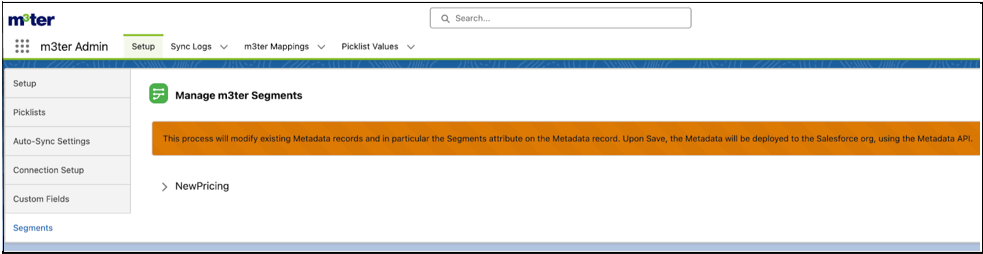
- The page queries all CMDT types that have the field
Segments__cdefined for a given Custom Metadata Type. As of 2nd June 2025, this feature is only available for the Pricing sync:
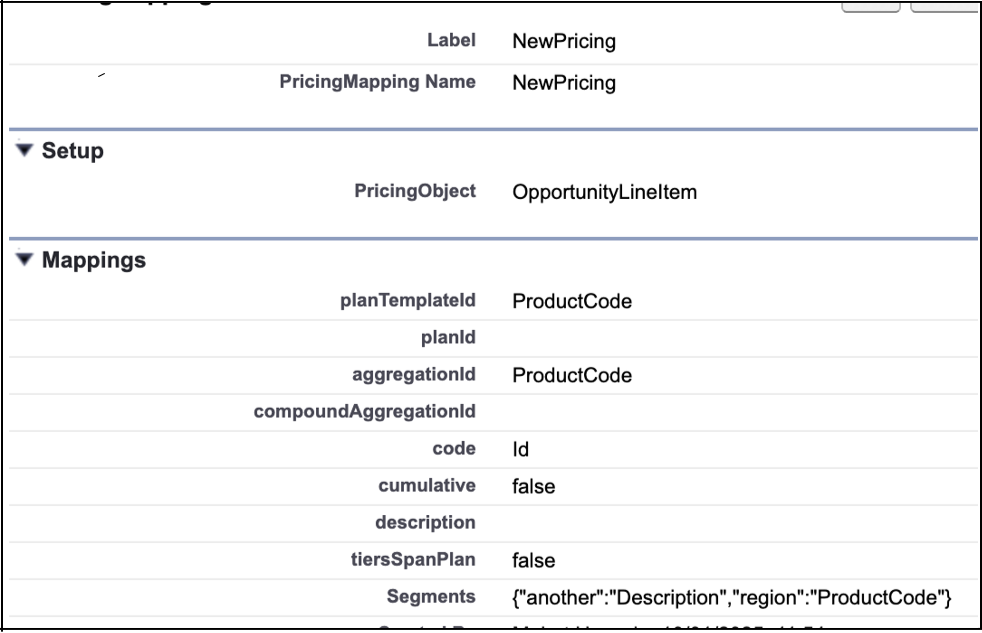
- Note that following the same pattern for how the m3ter Connector for SalesForce supports Custom Fields, there is a Long Text Area field added to
PricingMapping__mdtfor Segments.
- Expand NewPricing on the Segments tab:
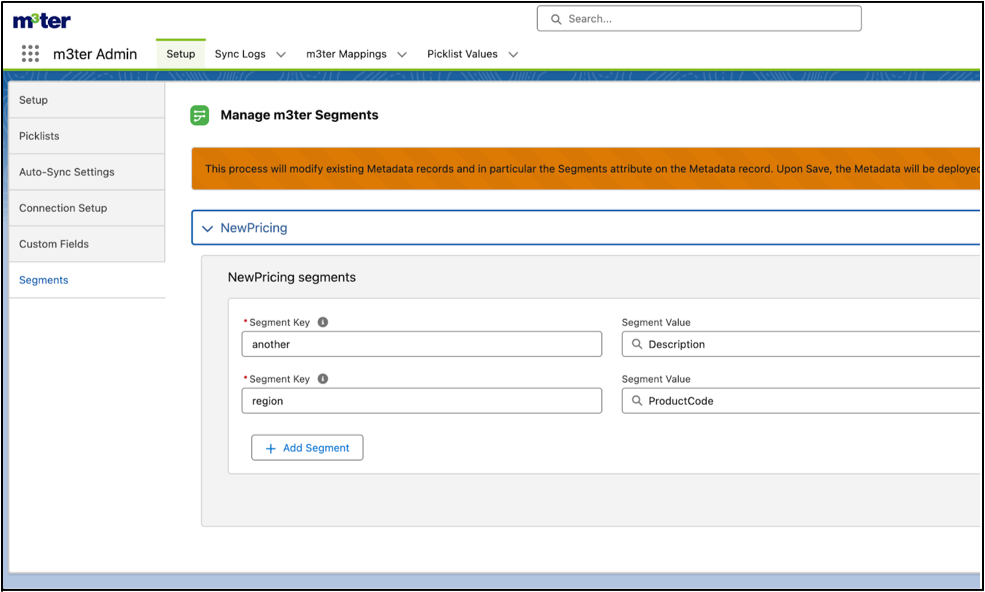
- Use the NewPricing panel to define segment attributes that should be sent to m3ter. This configuration set up includes selecting a Salesforce SFDC Field to serve as the source for the attribute’s value:
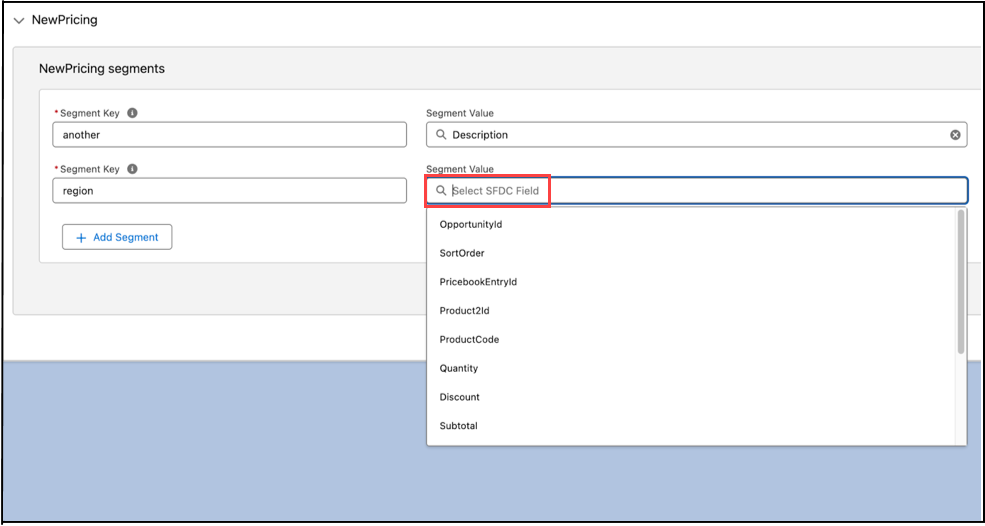
- Note that for improved usability and to aid identification, the Sync Record component now highlights mapped attributes for Segments using a green icon:
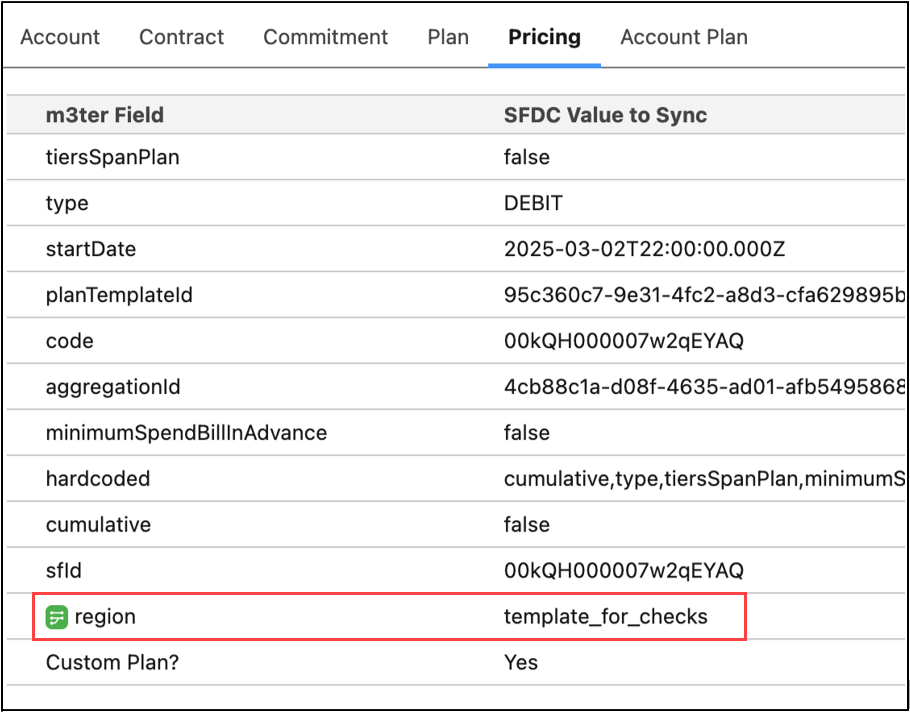
- For Custom Fields using a dark blue icon:
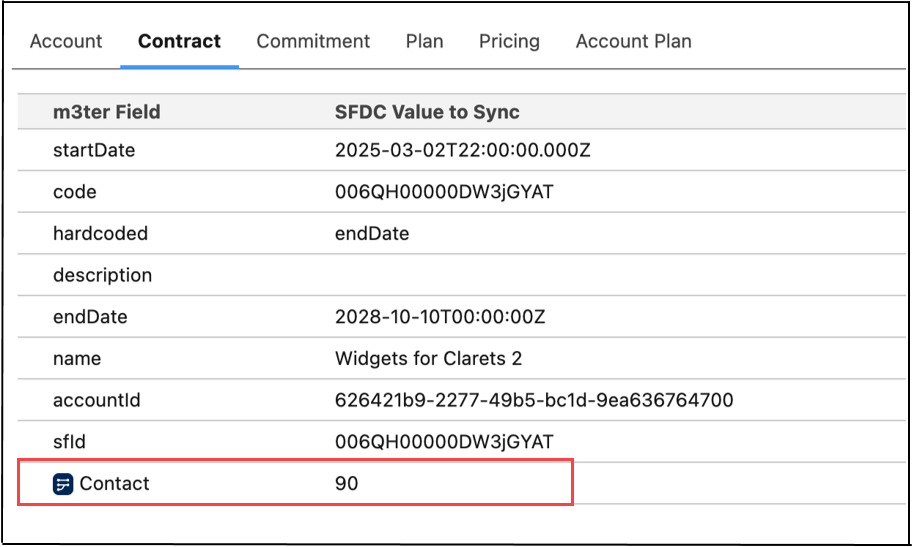
Notes and Limitations
Field Reference Constraints
The available fields for segment values are constrained by thePricingObject defined in the PricingMapping__mdt record.
PricingObject Context
ThePricingObject field - for example OpportunityLineItem in the following screenshot - determines which of the object’s fields can be referenced:
- Only fields accessible from this object context can be used in segment values
- For example, if
PricingObjectisOpportunityLineItem, then fields likeOpportunityLineItem.Region__cor fields from related objects likeOpportunity.Account.Region__cwould be valid.
Field Accessibility
- Standard and custom fields from the
PricingObjectare supported. - Related object fields are supported through relationship notation - for example
Opportunity.Type. - Field-level security and object permissions are respected during resolution.
Reference Syntax
- For direct fields on the
PricingObject, use just the field API name - for exampleRegion__c. - For related object fields, use relationship notation - for example
Opportunity.Account.Region__c. - Static values can be used directly without any special notation.
- Each segment is a key-value pair separated by a colon.
- Multiple segments are separated by commas.
- Whitespace around keys and values is automatically trimmed.
- Invalid formats - such as missing colon or empty values - are ignored.
- Field references that don’t exist on the
PricingObjectwill cause validation errors. - The field is optional and can be left empty.